Changelog

Follow new updates and improvements to ggCircuit.

Release date: May 26, 2026

Release overview

The primary goal of ggRock 1.6 is to make onboarding resilient on real-world hardware and to modernize the server platform end-to-end. This release introduces a brand-new QR-fallback onboarding path for the WinPE toolchain, full Debian 13 support for the PXE boot system, a major PostgreSQL upgrade from version 12 to 17, and a runtime migration from .NET 6 to .NET 10 — bringing ggRock to a fully supported, secure and audit-friendly stack.

New features

QR-fallback Onboarding for the WinPE Toolchain
Release illustration

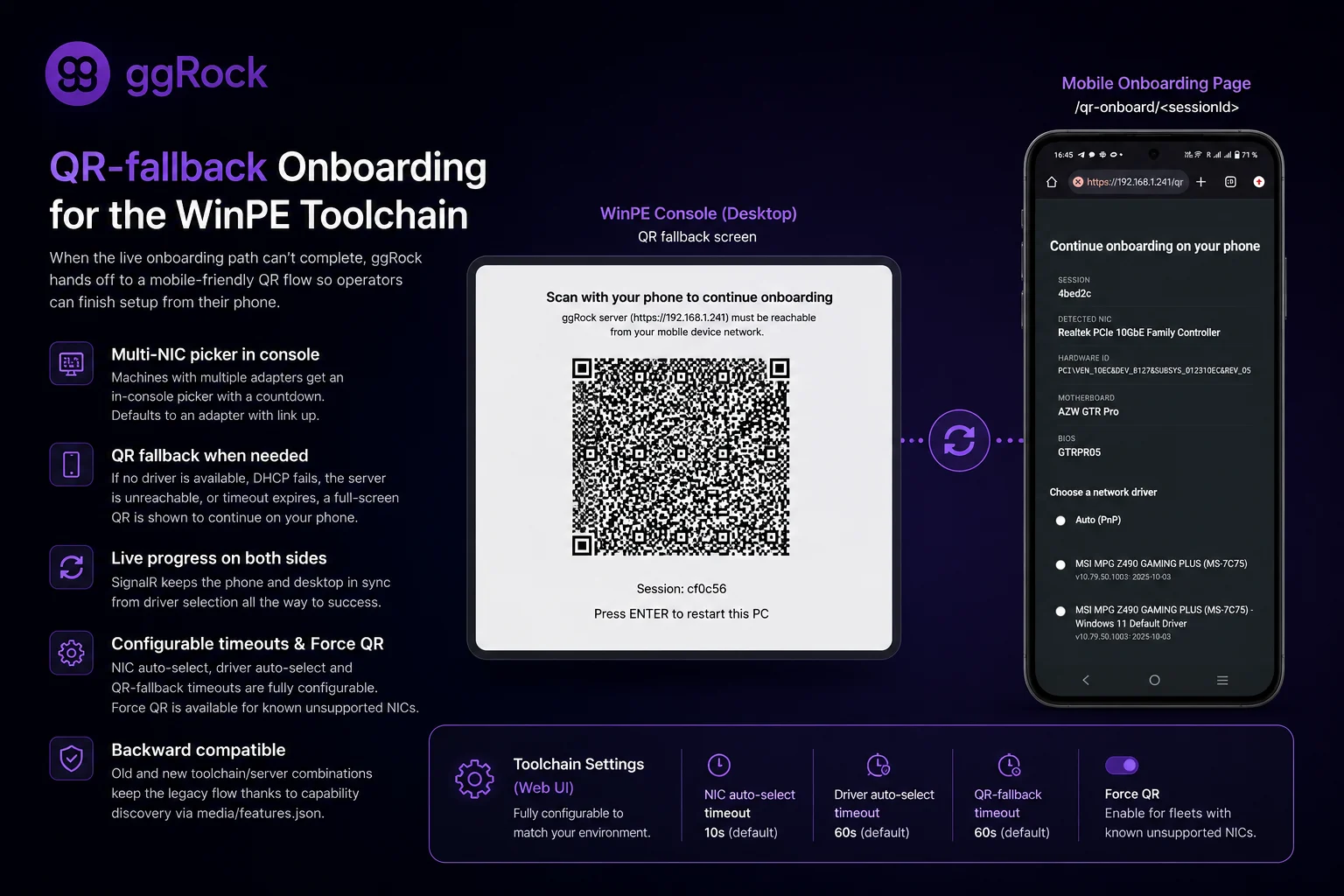
The WinPE toolchain has been reworked to never get stuck on unsupported NICs again. Every PCI network device is now enumerated — including ones with no Windows driver bound — and when the live onboarding path can't complete, the toolchain hands off to a mobile-friendly QR fallback so the operator can finish setup from their phone.

  • Multi-NIC picker in the WinPE console: machines with multiple network adapters now get an in-console picker with a configurable countdown. The default highlights an adapter with link up, so single-NIC and standard multi-NIC machines just work.

  • QR fallback: when no driver is available, DHCP fails, the server is unreachable, or the live-flow timeout expires, the console renders a full-screen QR pointing to https://<ggrock-ip>/qr-onboard/<sessionId>. Scanning it opens a stripped, mobile-friendly picker that shows detected hardware (NIC model, motherboard, BIOS) and a driver list with Auto (PnP) as the first option — matching the existing console picker.

  • Live progress on both sides: the desktop "Add Hardware" dialog now has an AwaitingMobileDriverPick state, and SignalR keeps both the phone and the desktop in sync from driver selection all the way to "Success".

  • New toolchain settings in the web UI: alongside the existing MAC field, admins can now configure NIC auto-select timeout (default 10s), Driver auto-select timeout (default 60s), QR-fallback timeout (default 60s), and a Force QR toggle for fleets with known unsupported NICs.

  • Backward compatible: capability discovery is driven by media/features.json in the WinPE pack and a ggrock-session.json snapshot inside boot.wim, so old toolchain ↔ new server and new toolchain ↔ old server combinations keep the legacy flow.

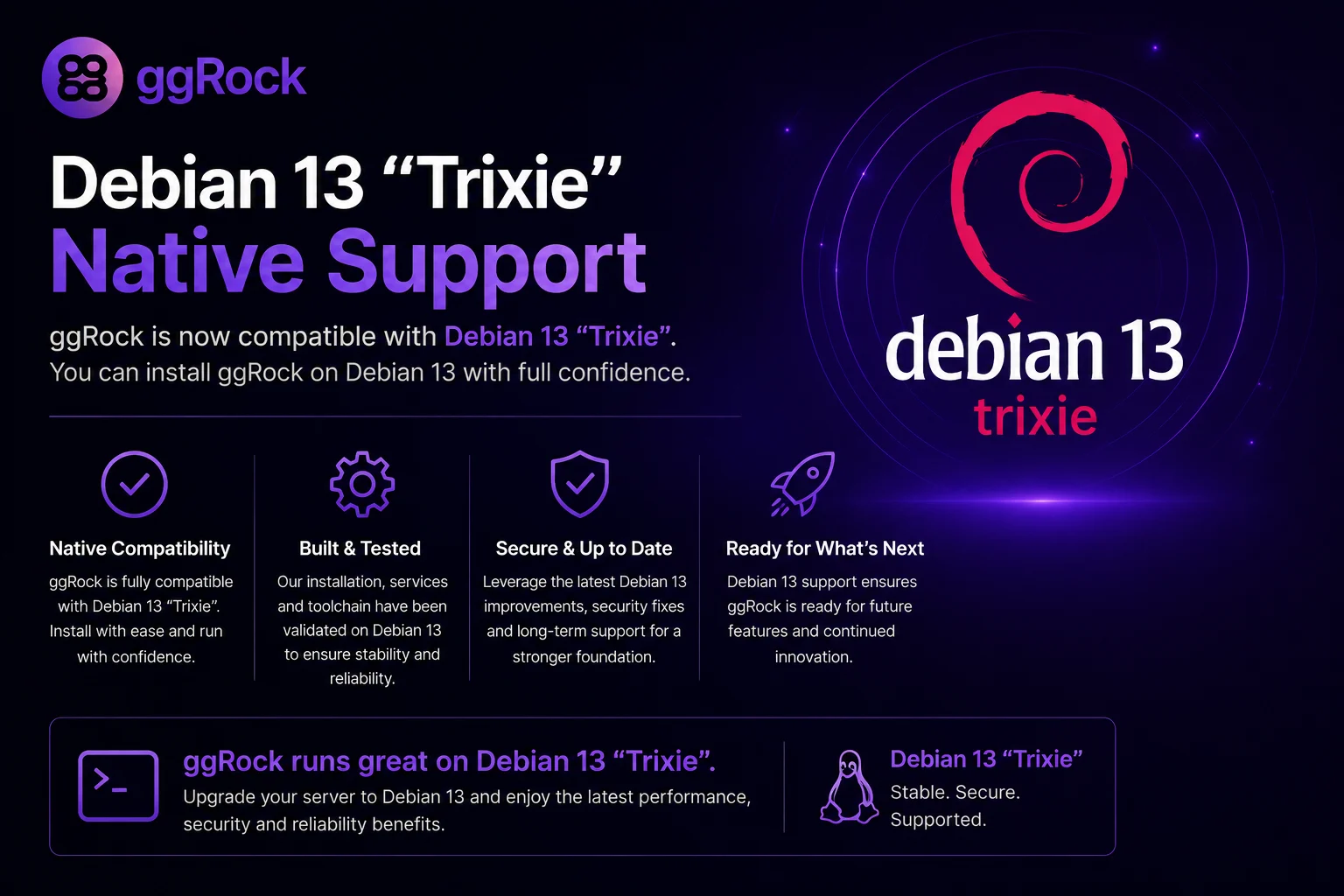
Debian 13 Support
Release illustration

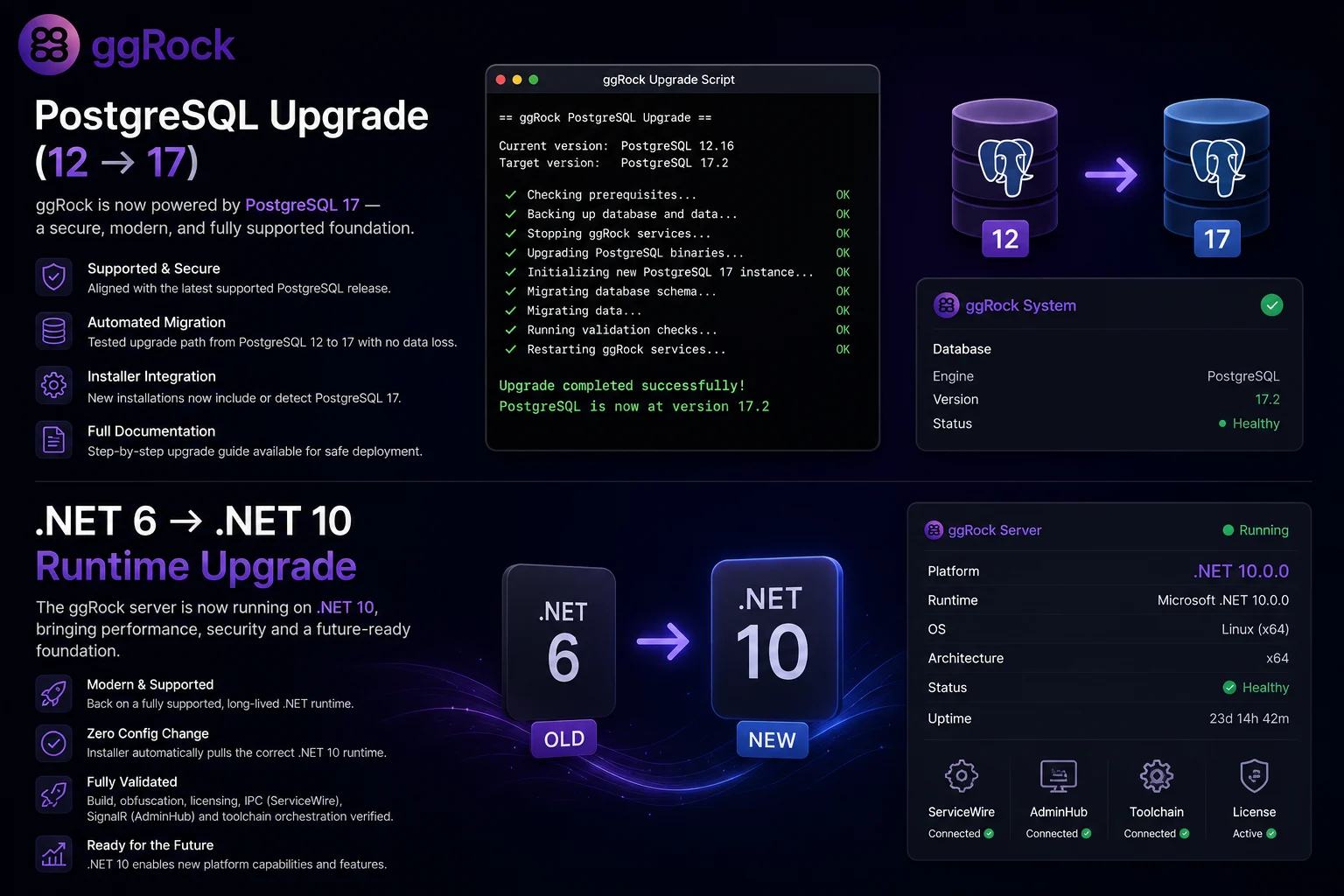
ggRock's PostgreSQL dependency has been upgraded from PostgreSQL 12 to PostgreSQL 17+, aligning the platform with a currently supported, secure release. This unlocks compliance with IT audit and security standards that many managed-service customers require.

  • Schema and data compatibility: all existing ggRock schemas, stored procedures, and data migrations have been validated against PostgreSQL 17+.

  • Automated migration: the upgrade ships with an automated, tested migration path from PostgreSQL 12 to 17+ — with no data loss — runnable in both test and production environments.

  • Installer integration: the ggRock installation package now installs or detects PostgreSQL 17+ during setup, so fresh installations are on the supported version from day one.

  • Documentation: step-by-step upgrade documentation is available for customers and managed service providers — please follow it before upgrading production environments.

PostgreSQL Upgrade (12 → 17+)
Release illustration

ggRock's PostgreSQL dependency has been upgraded from PostgreSQL 12 to PostgreSQL 17+, aligning the platform with a currently supported, secure release. This unlocks compliance with IT audit and security standards that many managed-service customers require.

  • Schema and data compatibility: all existing ggRock schemas, stored procedures, and data migrations have been validated against PostgreSQL 17+.

  • Automated migration: the upgrade ships with an automated, tested migration path from PostgreSQL 12 to 17+ — with no data loss — runnable in both test and production environments.

  • Installer integration: the ggRock installation package now installs or detects PostgreSQL 17+ during setup, so fresh installations are on the supported version from day one.

  • Documentation: step-by-step upgrade documentation is available for customers and managed service providers — please follow it before upgrading production environments.

.NET 6 → .NET 10 Runtime Upgrade

The ggRock server has been migrated from .NET 6 to .NET 10. This brings the platform back onto a fully supported, long-lived runtime and unlocks the performance and security improvements introduced across the .NET 7/8/9/10 cycle.

  • No configuration change required for operators in the standard managed flow — the installer pulls the right runtime automatically.

  • Build and obfuscation pipeline have been validated end-to-end against the new runtime, including license activation, IPC channels (ServiceWire), SignalR (AdminHub), and toolchain orchestration.

  • Foundation for future work: a modern runtime is now in place for upcoming features that depend on newer .NET APIs.

Bug fixes

  • Build pipeline — silent migration name corruption: fixed an issue in Source/BuildScripts/build-ggrock.ps1 where a failing dotnet ef migrations list --no-build command would silently store its own error string as the migration name in the build database. Build outputs and the update feed are now consistent.

  • We set the default prometheus retention size to 15GB to prevent logs from filling the whole partition space up.

Share feedback

  • Help shape the future of ggRock by contributing to our roadmap. Share your ideas and vote on features here: Productboard
Release date: 24 Jun 2025

Overview

Share feedback

New features

Scheduler Update

In ggRock 1.5, the Scheduler no longer executes past-due actions after you update an action or boot-mode override. We’ve also fixed an issue where machines could remain stuck in a local-override state after deletion—ensuring predictable, on-schedule boots.

Inactivity Logout

A new auto-logout feature ends user sessions after a configurable period of inactivity, improving security by preventing unintended access on unattended terminals.

Terminal Registration

Introducing a new CLI command (ggrock-auth) that lets you register ggRock servers directly from the terminal—perfect for automating deployments and headless setups.

Improvements

  • 📊 Status Indicators

    • Update Manager Status: Shows whether Windows Updates are enabled.

    • Disk Optimization Status: Indicates if disk defragmentation is active.

    • Boot Mode Detection: Displays when a machine is running in UEFI mode.

    🖧 MAC Address Management
    Admins can now assign a specific MAC address to the toolchain VM, guaranteeing consistent network connectivity in environments that require MAC-based registration.

  • 🔄 Restart Services Enhancement
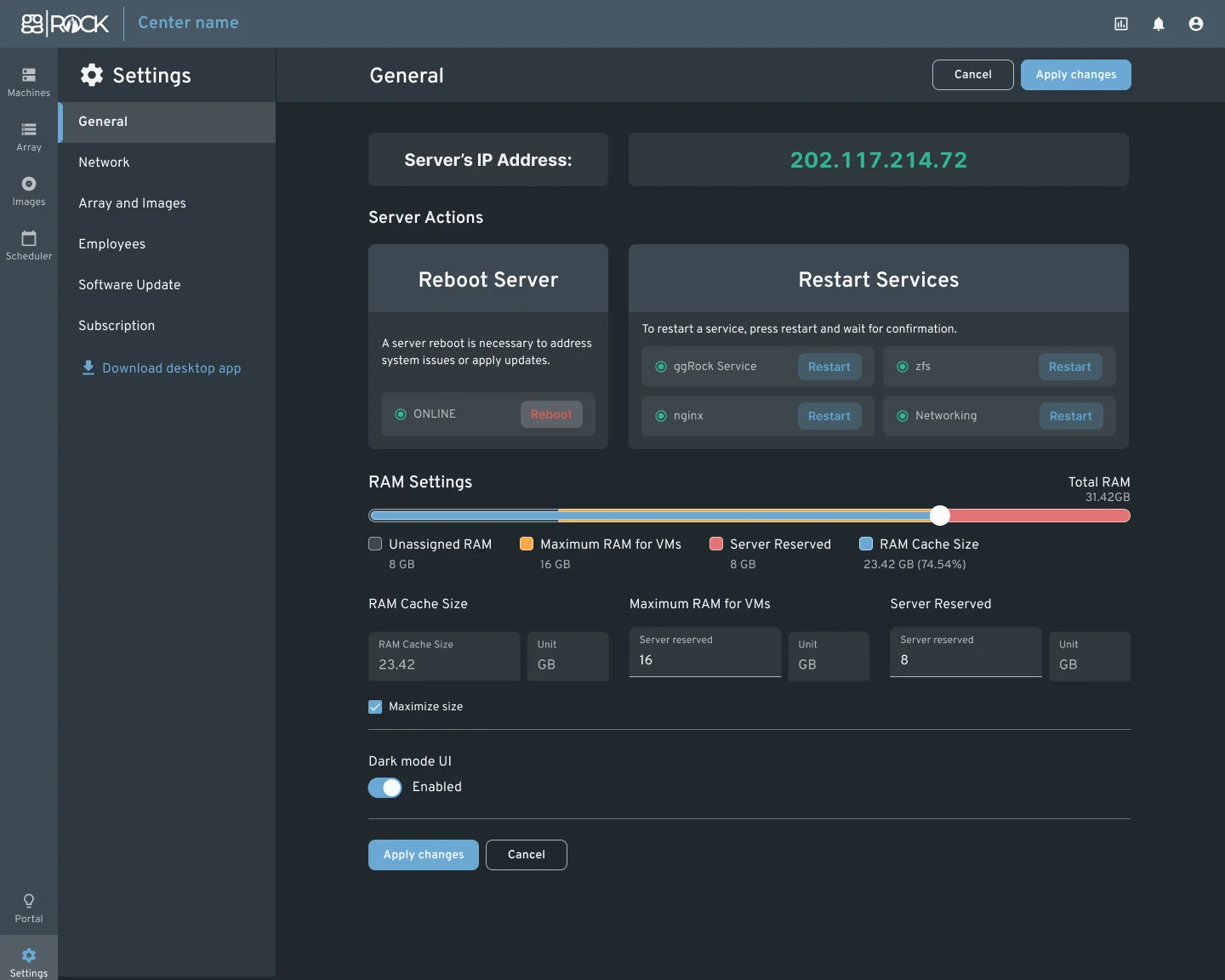
    From the General Settings page, you can now restart individual services—TFTP, iSCSI, ZFS, and dnsmasq—without performing a full server reboot.

  • 📦 Driver Info Parsing
    When you upload a driver, ggRock extracts its minimum supported Windows version from the metadata, so you can filter and select only compatible drivers.

  • ⚙️ Run Configurator from the UI
    You can now launch ggrock-linux-configurator and perform apt-get update && apt-get upgrade -y directly within the ggRock UI, complete with live output for easier monitoring and troubleshooting.

Bug fixes

  • Client Agent Stability: Resolved startup failures by ensuring the “ggRock Client Agent” registry entry is correctly injected into HKCU, restoring reliable agent launch on Windows startup.

  • "Keeping writebacks is possible only for the latest snapshot" when trying to keep writeback
    The writeback retention logic has been corrected to allow preserving any snapshot, not just the most recent one.

  • ggRock – NIC Installation fails
    Resolved an issue causing network driver installations to fail, ensuring reliable NIC configuration.

  • Cannot restore images from server to server on newer ggRock builds
    Restored cross-server image restore functionality in the latest ggRock builds.

  • ggRock Array
    Fixed syslog/kern.log spam when the array filled up, preventing excessive disk space consumption.

  • ggRock timezone incorrect
    Corrected timezone display so timestamps now reflect the configured local time.

  • Immediately getting "Model is null" when adding new hardware in ggRock
    Resolved the null-model error in the Add Hardware wizard, allowing new devices to be added without blocking.

  • Scheduler right panel delete buttons hidden behind chat widget
    Adjusted UI layering so delete buttons in the scheduler panel are no longer obscured by the chat widget.

  • Fix "dataset is busy"
    Added retries and delays when unmounting partitions during writeback to prevent “dataset is busy” errors.

  • Info > bootMode always returns LegacyBios
    Improved boot-mode detection to correctly report UEFI when applicable.

  • One machine stuck in an old schedule while another updates correctly
    Fixed inconsistent scheduler behavior that left some machines on outdated schedules while others updated as expected.

  • Don’t apply browser timezone when displaying executions
    Updated execution-time rendering to use server-side offsets only, removing adjustments based on the browser’s timezone.

  • Local override deletion causes system to remain in local state
    Adjusted local override removal logic so systems automatically revert to their expected state after deletion.

  • ggRock client agent doesn’t start
    Ensured the client agent’s registry entry is injected into HKCU, restoring automatic startup on Windows.

  • Scheduler actions missing after being added (date issues)
    Ensured newly created scheduler actions appear immediately in the interface.

  • Modals remain open after inactivity timeout
    Enhanced inactivity timeout logic to close or hide all open modals when the session expires.

Release date: 28 August 2024

Overview

Share feedback

New features

Debian 12 support

In ggRock 1.4, we have added full support for Debian 12. This ensures that system administrators can now seamlessly deploy and manage Debian 12 instances across their networked computers without encountering compatibility issues. This is a significant update for those managing diverse environments and looking to keep up with the latest Debian release.

Secure boot automation

With this release, ggRock introduces automation for Secure Boot key management, addressing a major pain point for administrators working with Windows 11 and later versions. The new feature allows you to sign the iPXE file with Microsoft or automatically handle Secure Boot key installations through PowerShell, depending on the hardware manufacturer. This significantly reduces the need for manual intervention when configuring Secure Boot across multiple machines.

Key Features:

  • Automated Secure Boot Key Installation: Reduces the need for manual installation by using PowerShell or signed iPXE files.

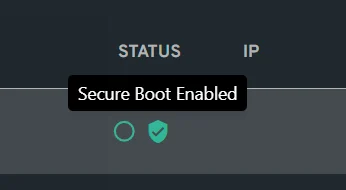
  • Secure Boot Status Check: A new feature to quickly check Secure Boot status on Windows machines using the Confirm-SecureBootUEFI PowerShell command. Machines with Secure Boot enabled display a lock symbol in the machines tab.

image-20240827-132727.png

Improvements

  • Image Navigation from PC List: We've added a feature allowing users to easily navigate from the PC list to image details with a single click. This streamlines the workflow and saves time, especially for users managing multiple images.

  • Secure Boot Status Indicator: A lock symbol is now displayed next to each computer in the machines tab to indicate whether Secure Boot is turned on, enabling quick identification of secure boot status across your network.

Bug fixes

  • Submitting forms with passwords doesn't redirect the page to the next one: This issue has been resolved to ensure smooth form submission.

  • Fixed /etc/network/interfaces breaking with dns-nameservers entry: Resolved an issue causing network configuration problems when using dns-nameservers.

  • Fixed Scheduler - Apply button disabled by default: The apply button is now correctly disabled by default to prevent accidental scheduling errors.

  • Fixed array full condition issues leading to orphaned writebacks: Addressed a critical issue where writebacks were not deleted properly when the array filled to 100%, which previously resulted in unnecessary support requests and downtime.

  • Fixed "Model is null" error when adding new hardware: Resolved an error where customers were unable to add new hardware due to a persistent "Model is null" error.

  • Fixed iSCSI Target Reference Issue: Ensured iSCSI targets are removed before destroying ZFS clones to avoid errors when writeback images change.

  • Resolved Partition Unmount Issue: Added retries and delays for unmounting partitions during writeback to prevent "dataset is busy" errors.

Release date: 14 November 2023

Overview

Share feedback

New features

ggRock Activity Tracker

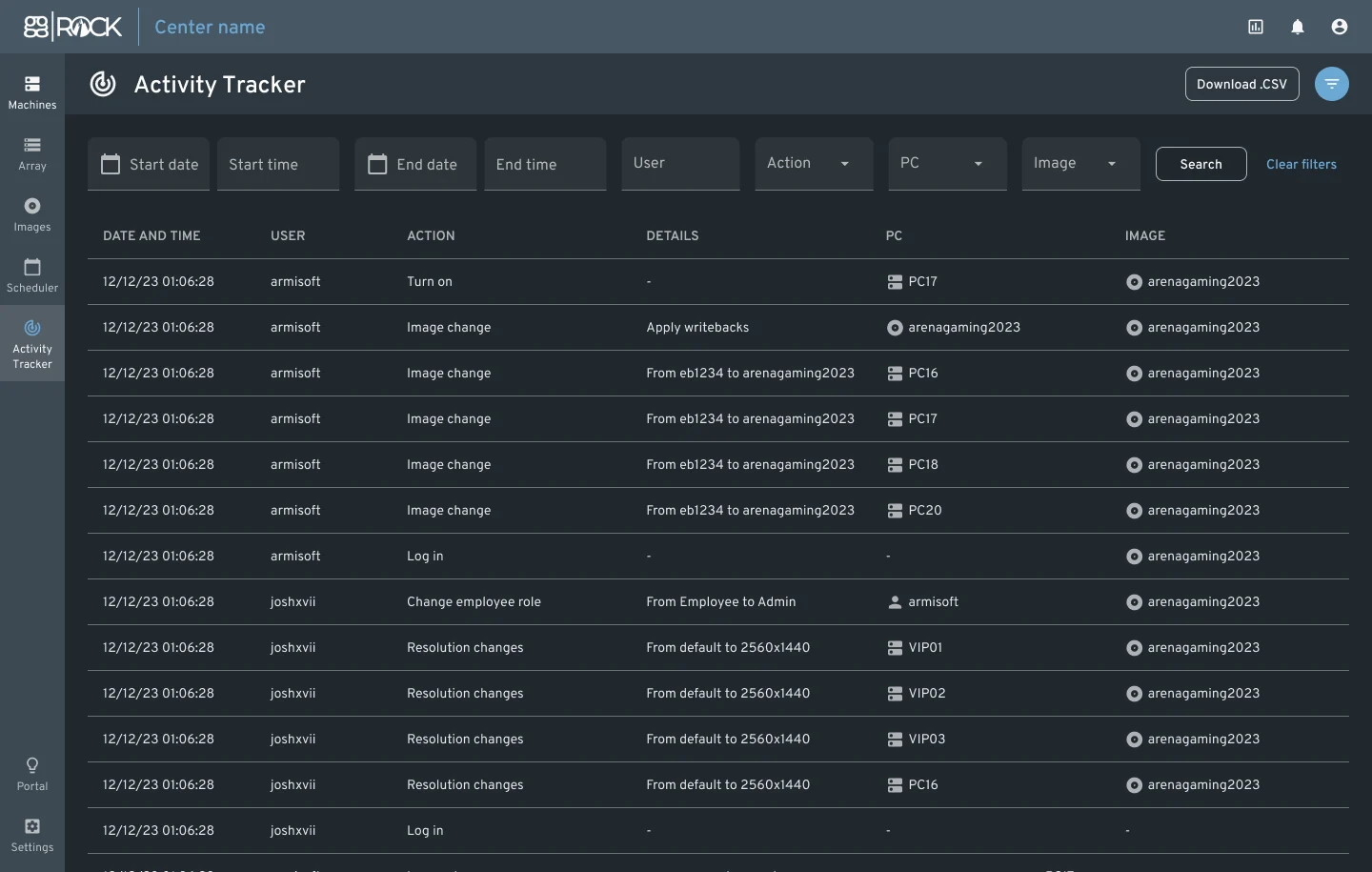
The ggRock 1.3 release introduces the Activity Tracker, a significant feature aimed at enhancing transparency and oversight within the system. This tool provides detailed insights into user actions, facilitating better management and troubleshooting.

image-20231114-113346.png

Key Features:

  • Detailed User Activity Logs: Tracks and records detailed user activities, offering clear insights into system usage.

  • Enhanced Troubleshooting: Aids in identifying and resolving issues quickly by pinpointing relevant user actions.

  • Compliance and Oversight: Supports compliance efforts by maintaining a thorough record of all user activities.

  • Incident Response Efficiency: Improves the speed and accuracy of responding to incidents by providing a clear activity trail.

This Activity Tracker is a pivotal addition to ggRock 1.3, greatly improving system management through enhanced tracking and reporting of user activities.

Advanced Server Controls

In ggRock 1.3, we've introduced advanced server control capabilities, streamlining system management and enhancing efficiency. These new features offer administrators more direct and user-friendly options for managing server operations.

image-20231114-113706.png

Key Enhancements:

  • UI-Based Server Controls: Directly control server operations through the ggRock user interface for ease of use.

  • Service-Specific Reboots: Ability to reboot critical services like nginx and zfs individually, ensuring minimal downtime.

  • Full Server Reboot: Execute a complete server reboot from the interface, simplifying major updates or restarts.

  • Enhanced Monitoring: Improved real-time monitoring features for better oversight and responsiveness.

These enhancements represent a significant advancement in making server management more efficient and user-friendly in ggRock 1.3.

Improvements

  • Screen Resolution & Frame Rate Optimization 📺: Enhanced settings for individual computers.

  • New Employee Onboarding Email 📧: A welcoming and informative guide for new ggRock team members.

  • Unified Password Requirements 🔐: Harmonized password policies with improved session management.

  • Snapshot Source Field 📸: Easy identification of snapshot origin with the new 'source' field.

  • Scheduler Grid Auto-scroll 📅: Improved functionality for a better user experience.

  • Password Strength Indicators 💪: Added hints to guide users during password creation or update.

  • Human-Readable Error Codes 🧐: Error codes are now more understandable and user-friendly.

  • BIOS Boot Order Update ⚙️: Enhanced boot mode management via BIOS boot order updates.

ggLeap Client Updates

Improvements

  • Enhanced Autologins 🔄: Better autologin experience for various games.

  • Resolution Change Support 🖥️: Added support for seamless resolution changes.

Bug fixes

  • Improved Autologins: Enhanced autologin functionality, including fixes for Roblox and Escape from Tarkov.

  • Resolution Change Support for ggRock: Added capability to support resolution changes in ggRock.

  • Resolution Sync Fix: Resolved the issue where ggLeap's resolution did not match the actual screen resolution after Windows loaded.

  • Uplay Client Activation Fix: Addressed the issue causing Uplay client to show activation prompt upon launch.

  • Startup Command Stability: Fixed the problem of startup commands being unintentionally removed.

  • Custom Price Setting: Resolved the issue preventing setting custom prices to 0.

  • Subscription Page Enhancements: Various fixes and improvements made to the subscription page.

  • Quick Shop Accessibility: Fixed the issue where the quick shop was not opening from the orders screen.

  • New ggRock Permissions: Added new permissions for ggRock, including server reboot, service restarts, access to activity logs, and the ability to export these logs.

  • Web Portal Redirection Fix: Corrected the redirection issue on the Players Web portal content page leading users back to the dashboard.

  • Shop Page Redirection Issue: Addressed the shop page redirection problems.

  • Membership Cancellation Date Display: Fixed the static date display issue on the membership cancellation subscription dialog.

New Permissions for ggRock

  • 🔄 Server reboot, service restarts, activity logs access, and export capabilities.

Additional Fixes

  • Web Portal and Shop Page Redirection: Addressed redirection issues for a smoother user experience.

Release date: 21 August 2023

Overview

Share feedback

New features

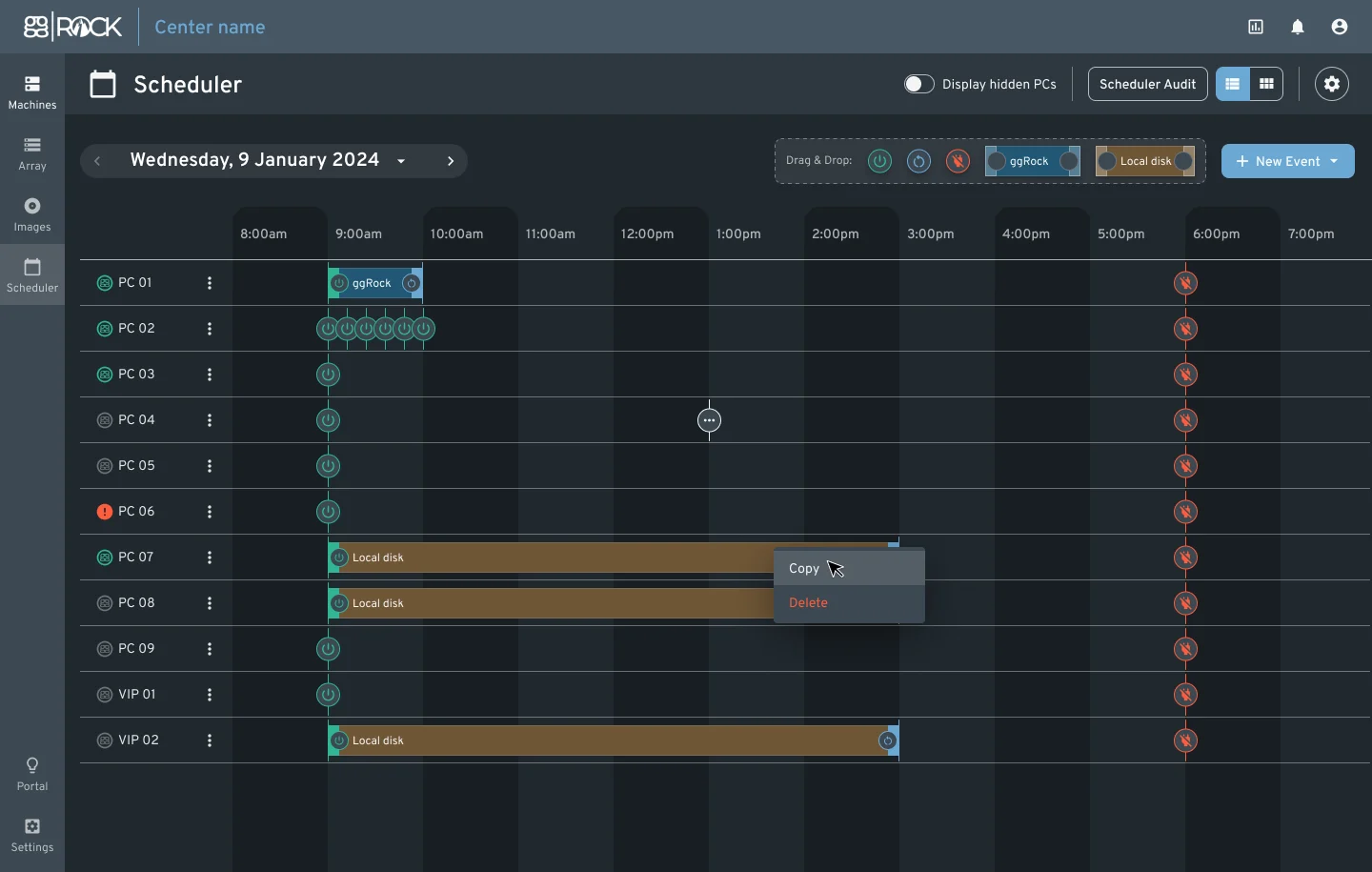
ggRock Scheduler 1.0

image-20230810-082205.png

The ggRock Scheduler is designed to provide enhanced control and automation for managing PCs in a center. Key features include:

  • Flexible Scheduling: Easily switch between local drives and ggRock during PXE boot, both on individual machines and globally.

  • Wake on LAN & Commands: Schedule Wake on LAN commands and other machine-related commands for PCs with a ggRock client.

  • Boot Mode Control: Define when ggRock should be On or Off and specify which images machines should use.

  • Event Management: Schedule specific actions like turning PCs on/off, rebooting, and more. Events can be repeated and managed efficiently.

  • Live PC Status: View real-time status of PCs, including their current state, images in use, and recent actions.

  • Notifications & Alerts: Receive notifications when updating PC settings and alerts for important events.

  • Detailed Logging: An inspector provides a log of all actions, state changes, and errors for transparency and troubleshooting.

This feature aims to automate center operations, from booting machines with specific images to scheduling regular tasks, ensuring efficient and smooth operations.

ggRock Standalone app

The goal is to improve ggRock app with a standalone (running on non-ggRock PC) version that would, among other things, allow:

  • Shutdown or reboot a machine

  • Reporting current IP, link speed, uptime and other data points we normally have for ggRock-managed machines but for unmanaged ones that are running the client.

Seamless Boot Improvements for Hardware Integration

To enhance the seamless boot process, especially when integrating new hardware, we've introduced the following improvements:

  • Manual Driver Selection: Users can now manually select a driver during the seamless boot process. This addresses issues where the system's automatic selection of the latest driver version might not be compatible with certain NICs or revisions.

  • Driver Versioning Based on NIC's Vendor ID: The WinPE process has been modified to return a list of matching driver versions based on the current NIC's vendor ID.

  • Console-based UI in WinPE: A new console-based UI in WinPE presents a list of drivers, with the latest driver pre-selected. Users can choose a different driver if needed, enhancing the boot success rate.

These improvements aim to provide users with more flexibility and control during the boot process, ensuring a smoother experience when integrating new hardware.

Other updates

Web Admin

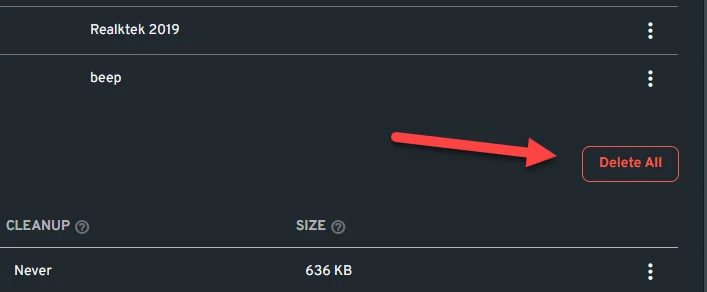
  • Added the ability to “Delete All” writebacks.

    image-20230811-072121.png
    • Improved Add Stripe button feedback when adding it to an array.

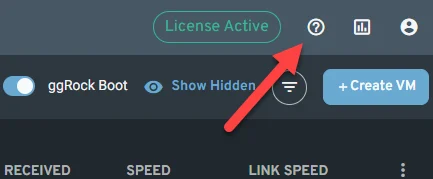
    • Added Help portal link to the ggRock UI.

      image-20230811-071951.png
    • RAM visualization and settings improvements.

      • Now, 4GB of RAM are set by default to prevent new admins from facing problems when creating Virtual Machines.

      • Virtual Machines running are now being properly represented into the total RAM graph.

        image-20230811-075141.png
    • Improved multiple images selector for machines settings.

    • Made Debian Cockpit service to exclusively run TLS 1.2/1.3 so that we can ensure a secure connection for our users.

    • Improved error messages across ggRock UI. These are now more accurate and informative so that administrators can quickly identify the cause of a problem and resolve it efficiently.

    • Improved the way ggRock client service is added to the machines.

    • Introduced ggRock log rotation to prevent system drive being filled up.

    • Grafana credentials are now integrated into ggRock so the user does not need to have an extra user/pass to check server metrics.

      image-20230811-085332.png

Documentation

Bug fixes

  • Implemented PC name validator to prevent using wrong PC names that may cause BSOD’s when booting machines.

  • Fixed pressing cancel buttons from /settings/general enables the apply changes button.

  • Fixed a bug that allowed the ability to delete locked snapshots.

  • Fixed a bug the causes Custom Snapshot to be shown in the Images even if the scheduled boot mode is set to use default snapshots.

  • Fixed Wake on Lan not working when attempting to boot machines from the ggRock UI across different subnets.

  • We've tackled the driver selection issues to ensure a more seamless boot process.

Release date: 23 September 2021

Overview

ggRock v1.1 is our latest release bringing in Debian 11 support, Quick Actions across the board and improved sorting and filtering capabilities of grids, bulk power actions control. The patch also includes a set of under-the-hood improvements and bug fixes that should improve responsiveness and consistency of the data displayed.

As for ggRock going paid - we have pushed back the date for versions prior to 1.1 being discontinued to November 1st. There will be a 1.2 release with a Subscription system in October (look forward to the middle of the month) allowing all centers to configure their subscription, and a 30 days trial will be issued to all centers to facilitate the payment configuration.

---

UPDATE NOTE. This update requires manual actions to update from Debian 10 to Debian 11. Please run: apt-get install -y screen && screen ggrock-upgrade-debian to update. Update can take upwards of an hour, please be patient and let the OS finish the process

---

Hotfix 1.1.001

This patch fixes issues with Arrays misreporting drives, Images not importing fully as well as PCs changing images during reboots.

ggRock Interface Improvements

img1

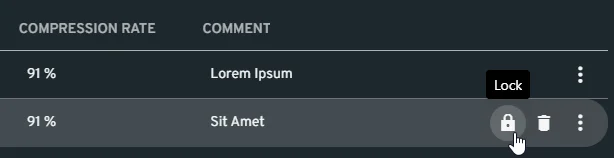
We have added Quick Actions to all available grids: Arrays, Images, Writebacks, Snapshots and the rest. This should make it easier to navigate the system and allow you to achieve the same results with fewer clicks.

img2img3img4

Above represented are some of the new Quick Action controls. There has been a lot of under-the-hood and technical debt updates necessary to bring us to the new features, as well as extended research to support Debian 11.

Gateway customization

Alongside some of the core improvements we have released a way to customize certain areas of ggRock, specifically Gateway Customization to make sure that ggRock can accommodate different network layouts and setups better and persist customization over version updates

Seamless Boot improvements

We have added a plethora of new drivers and motherboards support, improved the ggRock client and Toolchain dozens of times in the past month greatly improving the reliability and stability of the Seamless Boot experience.

Bug fixes

We have identified and fixed:

  • Issues with 72 hour offline countdown

  • Issues displaying Seamless Boot error messages on fail

  • Fixing permissions issues not being displayed

  • Improving item selection and bulk selection indication

  • Other stability and reliability issues

Updating ggRock to 1.1

ggRock 1.0.2

For users on ggRock 1.0.2 - only thing that should be done for 1.0.2 is following the usual update process.

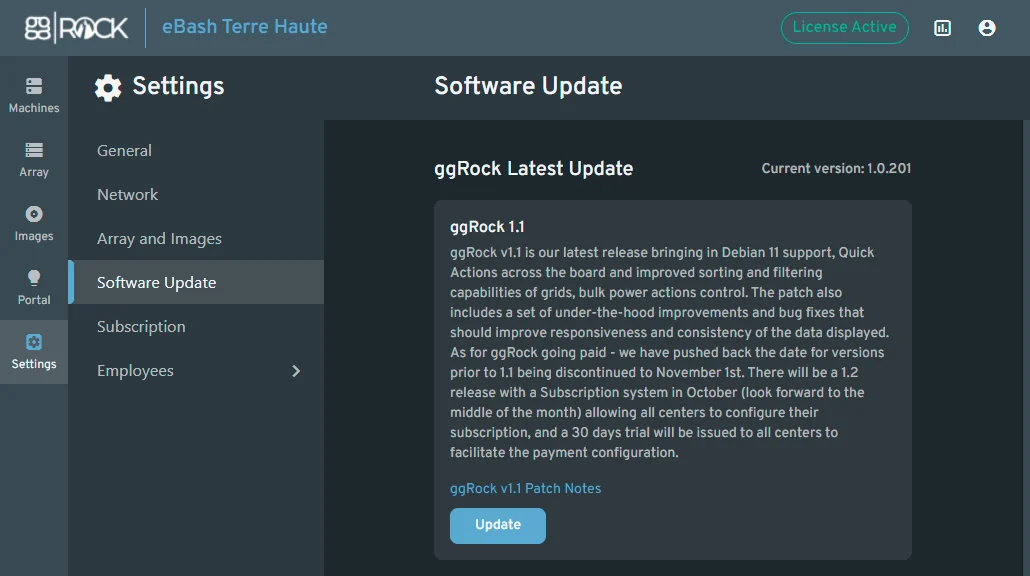
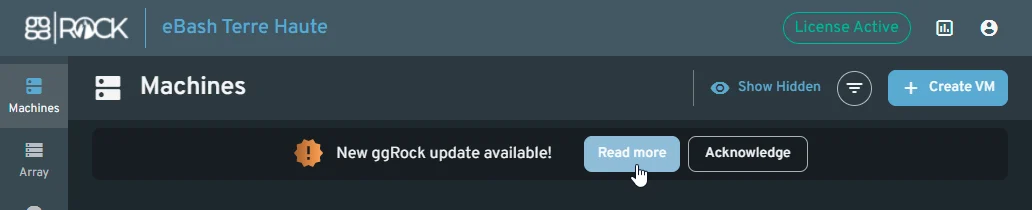
img5img6

ggRock 1.0.1

For all users running 1.0.1 this update will require manual actions to update from Debian 10 to Debian 11. Please run: apt-get install -y screen && screen ggrock-upgrade-debian to update. Update can take upwards of an hour, please be patient and let the OS finish the process

ggRock 1.0 and prior

You would need to first update to 1.0.1 and then refer to the paragraph above.

Plans for the next release - ggRock 1.2

With ggRock 1.2 we expect to roll out a new Subscription Management experience, as well as new sign-up flows and complete separation between ggLeap and ggRock for administration.

Release date: 19 August 2021

Overview

ggRock v1.0.1 is an intermediary update bringing about more quality of life improvements, fixing many issues with changes displaying without page refresh and also preparations for our 1.1 release featuring subscription portal and self-management of subscriptions as well as Debian 11 support as an additional upgrade.

Debian 11 support

Finally, we are going to release a 1.0.2 version with Debian 11 support alongside this release and we encourage centers willing to participate in the new release to help us validate the release. We will be running it in our affiliated venues but having more is always better, in preparation for ggRock 1.1 release! To help us please reach out via Discord / Support and state this, we’ll enable the Beta channel for your center.

ggRock Interface Improvements

Filters

Following the 1.0 release of the design system we continue to improve on the usability and features for our grids, starting with filters. If more than one filter is selected then they apply combined with each other.

Filters apply as soon as you change them, and to clear a filter you only have to remove all text from the input field.

Machine filters

att_1

Interacting with the “filter” icon next to the “Create VM” button you can invoke the filtering bar. First two fields will allow you to enter any part of the name or the IP and find it if it is inside the field. The last two are dropdown single-select fields allowing you to select specific values to match.

Array filters

Filtering array allows you to utilize three text fields that would check if the field contains the value inside.

att_3

Images filters

Last come the Images with one text and two dropdown filters

att_2

Sorting

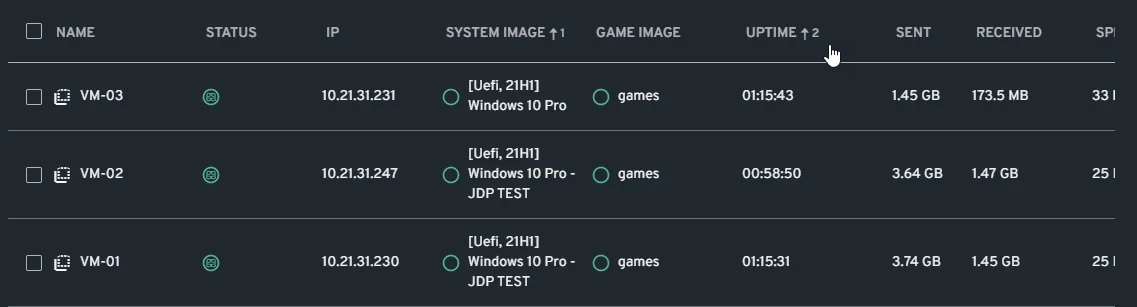
Sorting allows you to reorder the entries in the Grids without removing them. We support multi-column sorting with priority in every grid now: Machines, Array, Images, Employees, Roles:

att_4

Bulk Actions

att_7

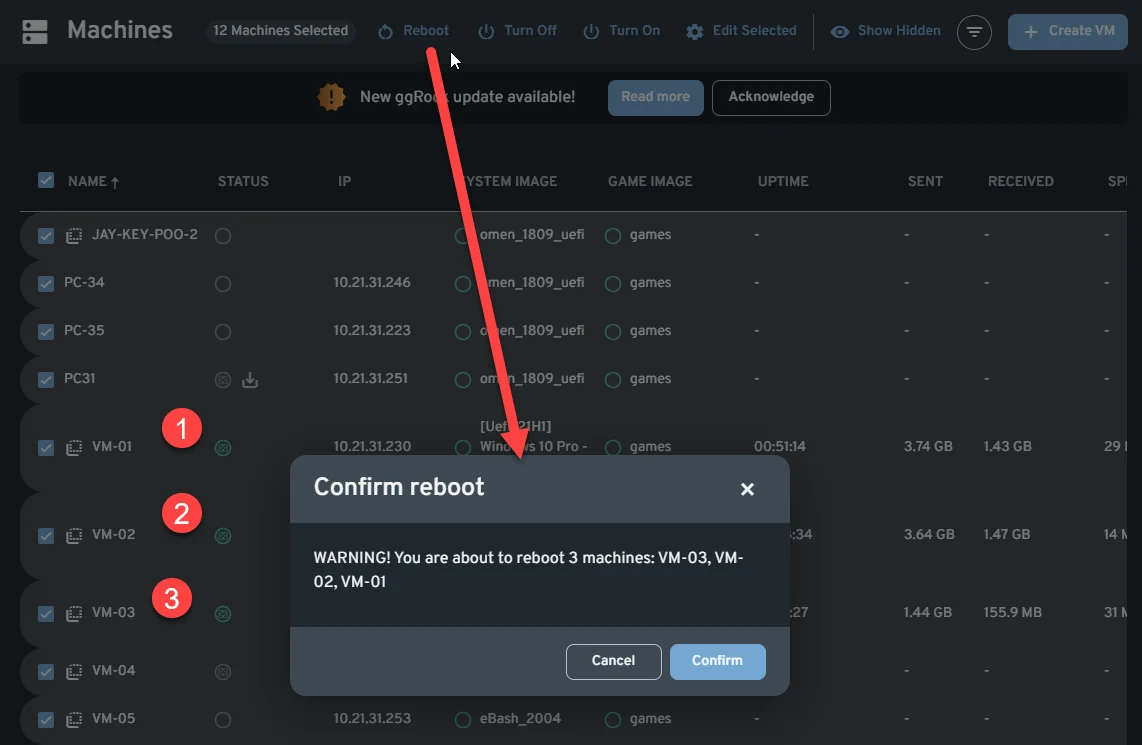
Now Bulk Actions for Power Control will not be grayed out if there are different machine states (enabled/disabled) selected. Reboot will only apply to powered on Machines, Turn On - to the offline ones and Turn Off - to the online ones.

att_5

Seamless Boot Status Indicator

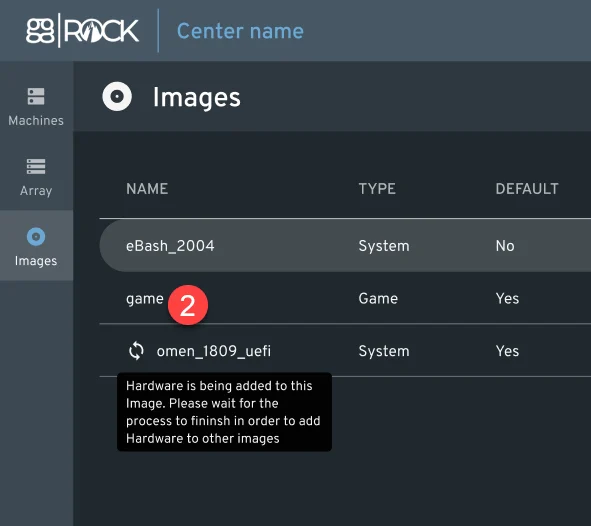
We’ve also added an indicator to the Image that has new Hardware being added to it so it’s easier to find.

Bug fixes

Few of the bugs addressed:

  • Employee Role not appearing without page refresh after creation / deletion

  • RAM settings glitches and inconsistencies with Max size and other

  • Machines disappearing or status getting stuck

  • Status of Array and Images, Writebacks and Snapshots getting stuck

  • Other minor bugs and issues

Updating ggRock to 1.0.1

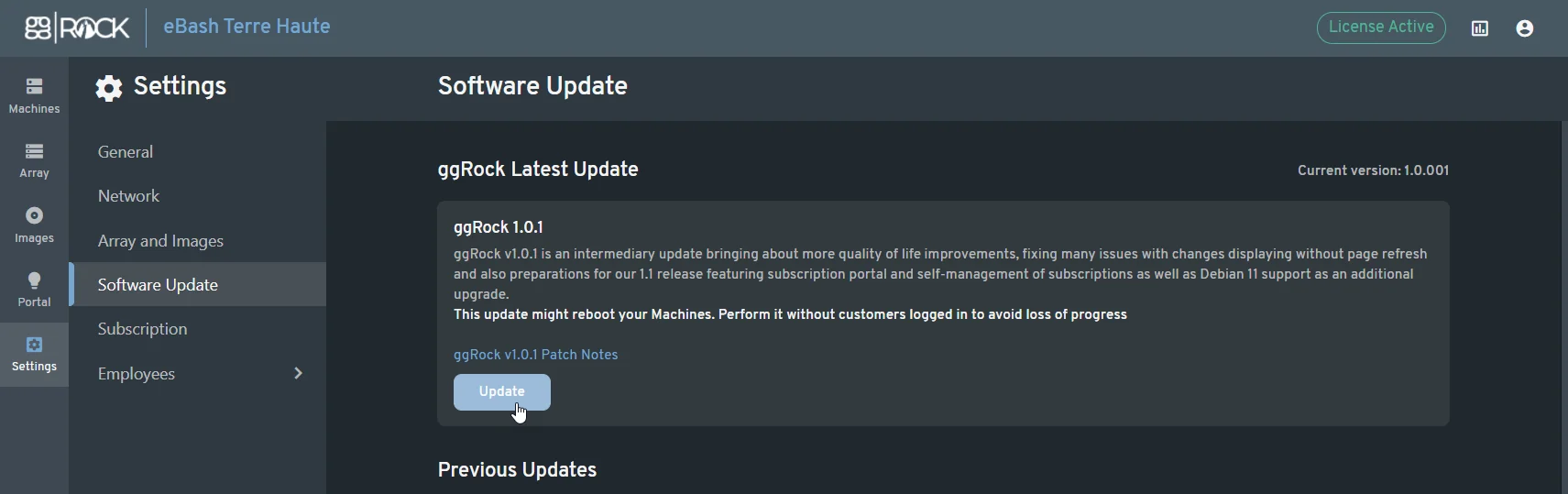
Updating ggRock should be as simple as clicking the “Update” button in Update UI:

att_6

Plans for the next release - ggRock 1.1

With ggRock 1.1 we expect to roll out a new Subscription Management experience, as well as new sign-up flows and complete separation between ggLeap and ggRock for administration.