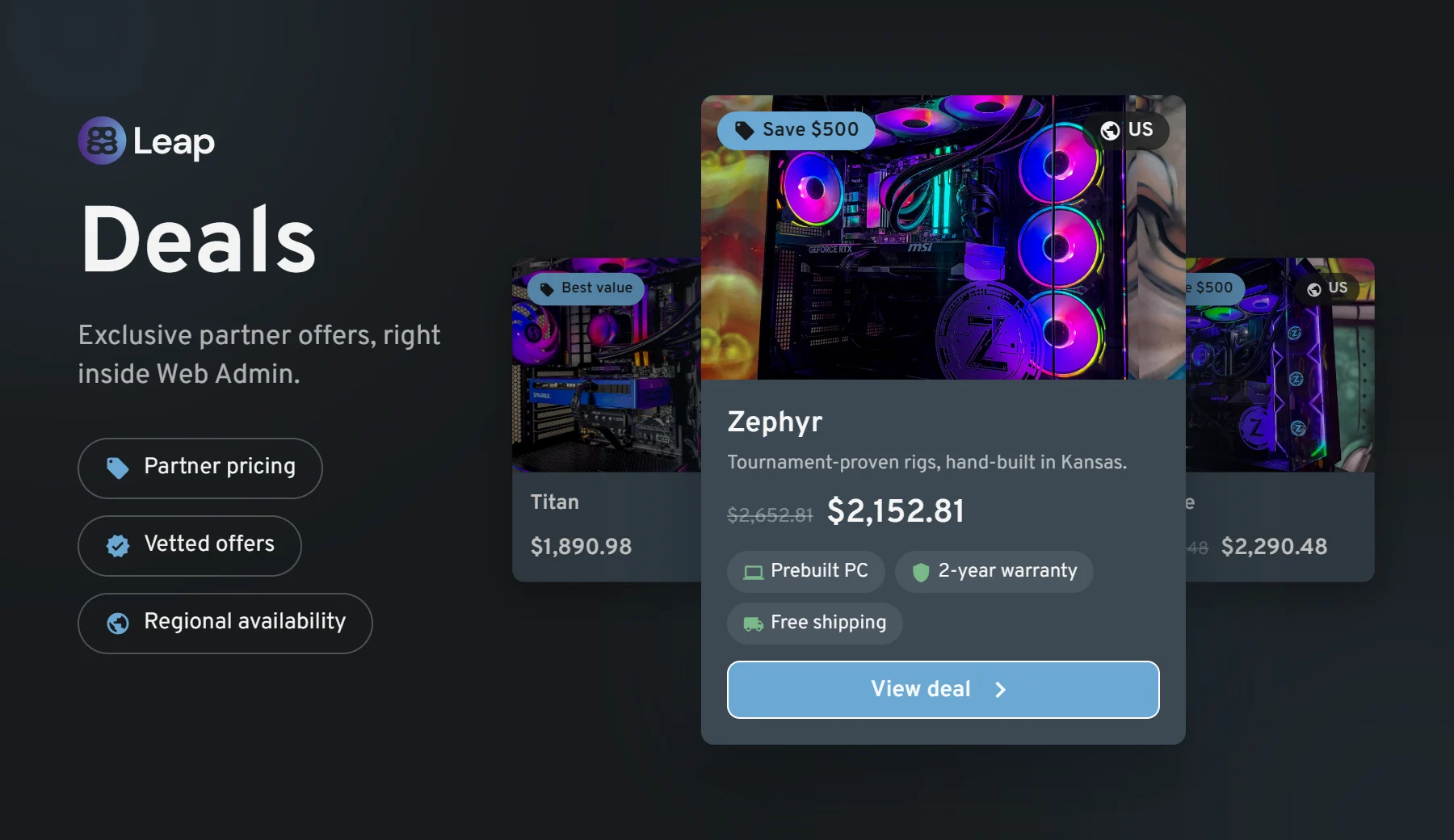
We are introducing Deals, a brand-new section of Web Admin where ggCircuit brings you exclusive, negotiated offers on the hardware and services your center actually buys. No more hunting for vendors or chasing quotes — the offers live right where you already work every day.
How it works
A new Deals button appears in the Web Admin header, marked with a NEW badge until you open it for the first time.
Clicking it opens the Deals panel, where each offer is presented as a product card with photo gallery, brand, category, the discounted price next to the original list price, a full description and a collapsible What's Included breakdown (warranty, shipping, financing, support and more).
The BUY button takes you straight to the partner's own store in a new tab to complete the purchase. Nothing is charged inside ggLeap — Deals is a referral space, not a checkout.
Our launch partner is Zodiac Labs, offering hand-built AMD Ryzen custom gaming PCs at a discount reserved for ggLeap centers. More partners are on the way.
Benefits
Pre-negotiated pricing: discounts we have already secured on your behalf, with no volume commitment on your side.
Vetted partners only: every brand in Deals is one we have evaluated and are willing to put our name next to.
Zero setup: nothing to install or configure — the panel is simply there the next time you sign in to Web Admin.
Relevant to your region: offers are scoped geographically, so you only ever see deals that can actually be fulfilled where your center is.
Console Bookings
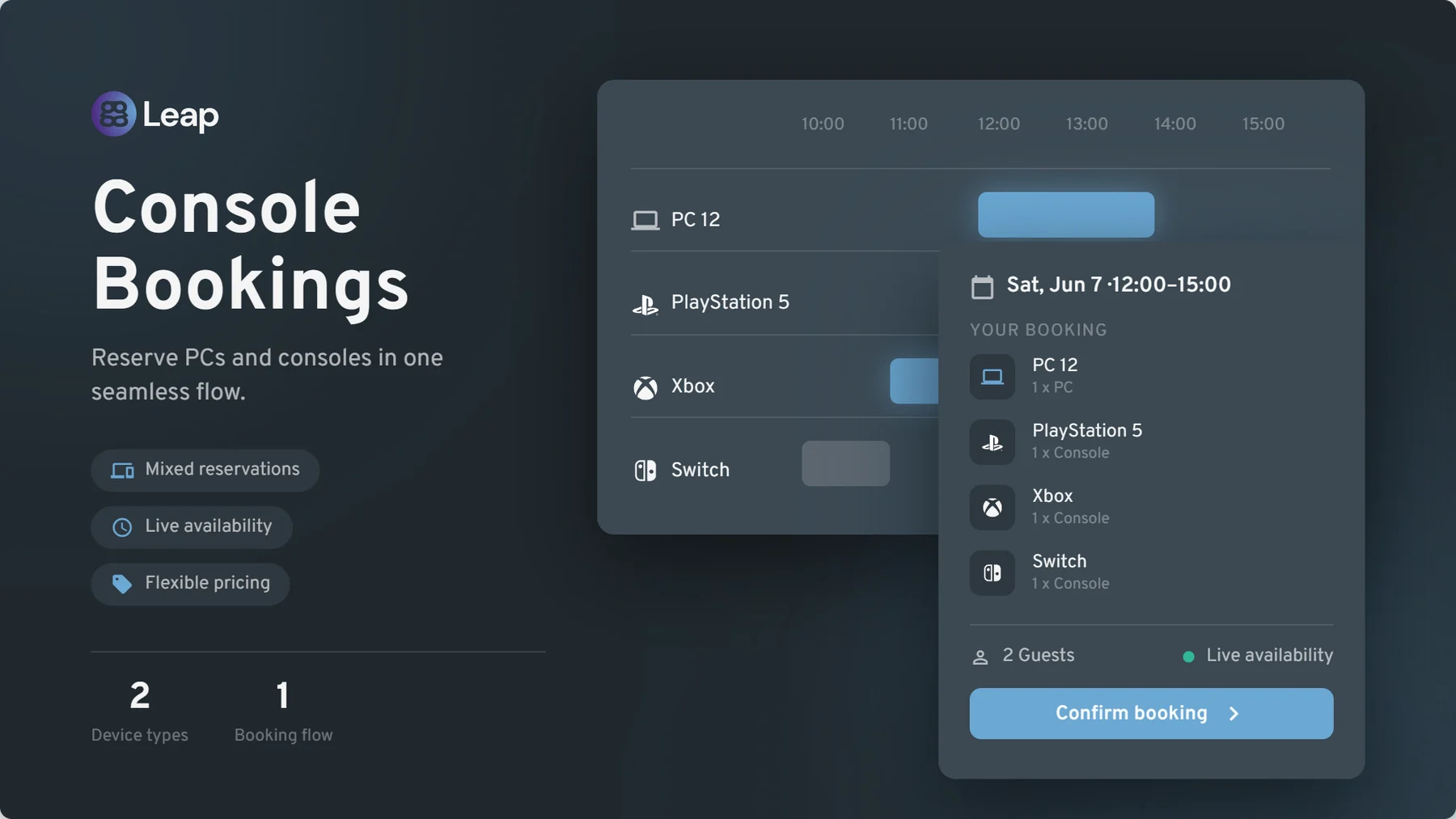
Until now, ggLeap bookings covered PCs only. With this release, consoles become fully bookable resources — PlayStation, Xbox, Nintendo Switch and any other console you have registered in your center. This has been one of the most requested features from console lounges, party-room operators and mixed PC/console venues, and it is finally here.
How it works
Consoles in the bookings grid: the Bookings page in Web Admin now shows your consoles alongside your PCs, with clear PC and console icons so staff can tell resource types apart at a glance. Clicking a console opens the same booking side panel you already know.
Mixed reservations: a single booking can contain PCs, consoles, or both — perfect for birthday parties and team events that need a bit of everything.
Self-service booking from your center webpage: your customers can reserve consoles directly from your public center page, as members or as guests, with live availability shown per console type and group.
Excluded consoles: a new Settings → Bookings → Excluded consoles list lets you keep specific units out of the booking pool — tournament stations, demo units or anything you want to keep free for walk-ins.
Console-aware statuses and notifications: a booking flips to occupied when any of its consoles is in use, upcoming-booking badges appear on console tiles in the dashboard widget, and confirmation emails list every PC and console on the reservation.
Benefits
New revenue stream: take advance reservations and prepayment for console stations that previously could only be booked over the phone or on paper.
One funnel for everything: the same booking flow, the same pricing model, the same reporting — consoles simply join the system you already use.
Nothing changes if you don't have consoles: the feature is purely additive. Existing PC booking flows are untouched.
All ggLeap emails redesigned
Every email ggLeap sends — around 30 of them, including receipts, verification codes, password resets, staff invitations and the daily financial report — has been rebuilt on a new templating engine and redesigned onto a single, clean, consistent look. Expect better readability across mail clients and a more professional impression for the emails your customers receive.
Chinese & Ukrainian language support
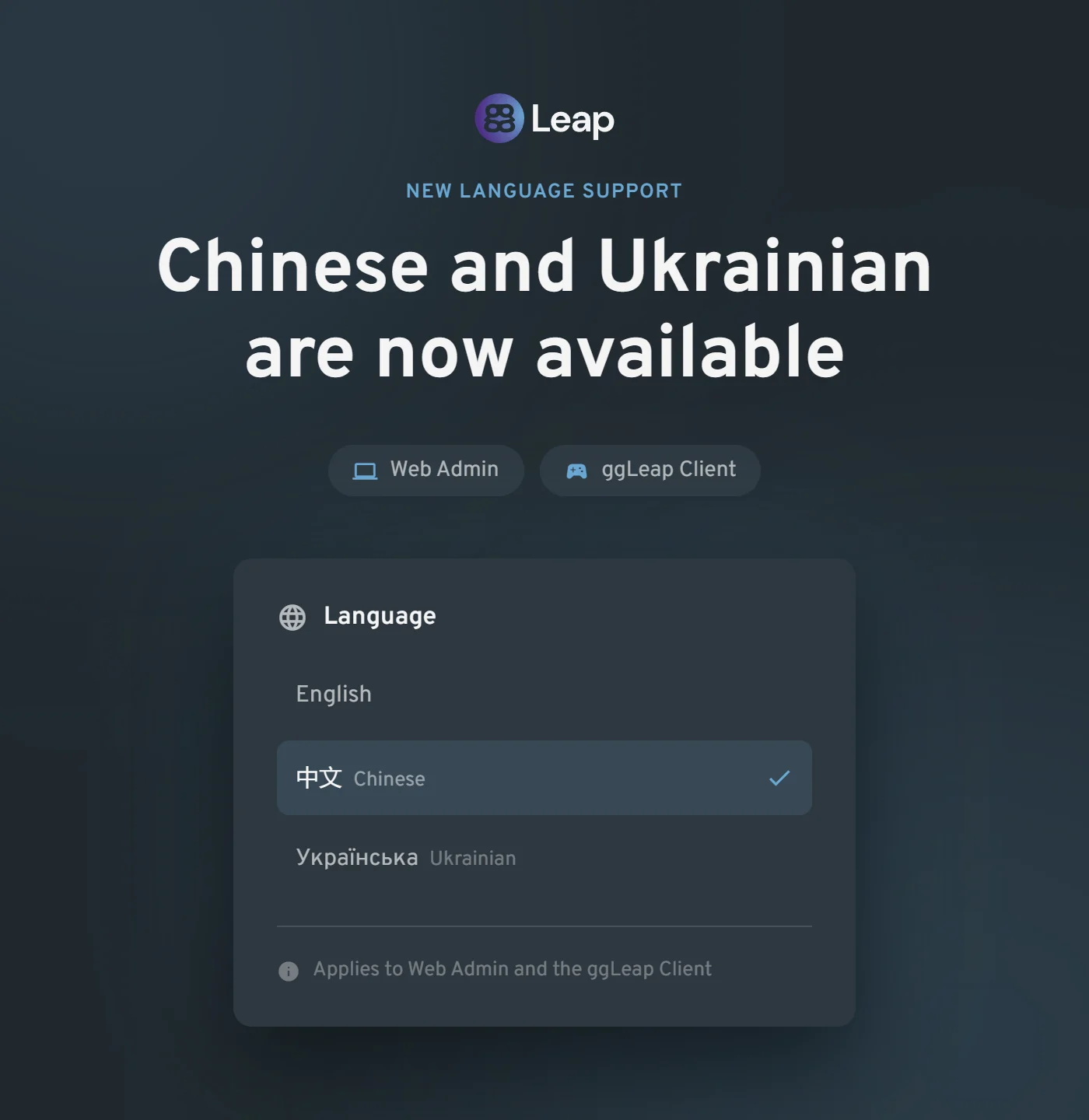
Chinese and Ukrainian are now selectable in Web Admin and the ggLeap Client, and your choice is remembered between sessions.
With both languages available across the administrative and player-facing experiences, centers can onboard local staff and communities more comfortably.
The result is a more accessible, consistent experience from the first sign-in onward — with no repeated language setup when users return.
Other updates
Web Admin
Self-service password reset for staff: a Forgot password? link on the Web Admin login screen now sends a secure reset email, so your team no longer has to wait for an administrator to unblock them.
Much faster customer list: the users list now loads from a local cache, making search and paging noticeably quicker at centers with large databases.
Granular remote-screen permissions: connecting to a PC, viewing active and past remote sessions, and ending a session are now three separate staff permissions, and every remote-screen action (start, extend, end, cache clear) is recorded in the activity log for full auditability.
New API access permission: a dedicated permission now covers managing third-party API access, so staff no longer need full administrator rights just to configure an add-on.
Add-on data access control: a new screen lets you review and revoke which connected third-party vendors are allowed to access your center's data.
Stock management overhaul: the Stock Control table is now sortable on every column and opens sorted by lowest stock first, and stock count plus low-stock warning limit can be set directly on the product create/edit form — no more trip to a separate page.
Bulk security policy assignment: select multiple PCs at once to add them to, or remove them from, a security policy group in a single action.
Multi-center navigation: the center switcher now stays visible without scrolling no matter how many centers you manage, and a dedicated Open center button means selecting a center in the list only previews its information instead of switching you unintentionally.
Cash balance between centers: cash balance can now be transferred between centers in the same network. (This is an opt-in feature. Please reach out to Support to get this enabled and set up.)
Subscription email recipients: you can now choose exactly which staff members receive subscription notification emails.
Accessibility (WCAG 2.1 A/AA): a broad accessibility pass across Web Admin and the ggLeap Client covering keyboard navigation, visible focus indicators, skip-navigation, colour contrast, alternative text and screen-reader labelling.
Group-restricted shop items: a new shop setting lets you decide whether items a customer cannot use on their current PC group are hidden entirely or shown but not purchasable.
Smoother report generation: clearer progress feedback while a report is being generated, instead of an apparently frozen screen.
Sticky shopping cart: the cart now stays in view as you scroll through the shop.
Activity log: failed automatic membership renewals are now recorded in the activity log, and log entries that had been removed too early by data retention have been restored.
Nicer PC update reminder: the out-of-date PC notice has been reworded as a friendly notice telling you how many PCs have a newer build available.
Public API — agreements: a new public API endpoint lets integrators read a center's required agreements and record a customer's acceptance, so self-service kiosks and unattended arcade cabinets can pre-register players and skip the first-login terms screen.
Client Updates
Pause button behaviour: the video pause button now auto-hides after a period of inactivity, and a new center-level setting lets you hide it altogether.
Reopened help requests: when staff reopen a previously resolved help request, the customer's client now correctly shows it as open again.
Login with email: players can now sign in with their email address, not only their username.
Integrations & Add-ons
Add-on machine lists: at-a-glance green/red status dots with tooltips, and Kidas event rows now show the total price paid.
Bug fixes
Shop & Commerce
Applying a fixed-amount discount at checkout no longer blocks the sale with an incorrect "amount paid" error.
"Charge Later" is no longer offered at checkout for centers that have post-pay switched off.
Editing a prize no longer resets its stock count to zero.
Delivering an already-paid order now completes it correctly instead of treating it as post-pay.
A customer's post-pay spending limit is now applied correctly after the session refreshes.
Adding a product subcategory no longer fails with an error, and the "Add subcategory" option is now hidden where it does not apply.
Payments & Subscriptions
Subscriptions on automatic card payment no longer show a red "payment needed" warning while the renewal charge is simply still pending — the warning now appears only after a payment actually fails.
Renewing a membership now correctly moves the customer back into their user group.
Bookings
The add/edit booking panel no longer opens with a large blank gap when launched from the bottom of a long page.
Statistics & Reporting
Manually added time now shows its real value instead of zero in financial report exports.
Money added by a customer through Stripe in the client is no longer counted twice in statistics.
Corrected the user activity figure on the Statistics page.
Fortnite play is tracked against the correct game mode again, including ranked, no-build and squad playlists.
League of Legends match results are now recorded reliably for every player in a match, even when several players from your center are in the same game.
Web Admin
Newly added dashboard widgets now persist after you navigate away and come back.
Fixed the "Load more" button in long lists, which could stop working or fire duplicate requests.
Resolving a customer note now records the staff member who actually resolved it.
Client & Marketplace
Roblox auto-login no longer drops characters from saved usernames and passwords.
Minecraft auto-login works again.
In the News Feed widget, the next/previous arrows now update the full article body, not just the title and banner.
Fixed a crash in the ggLeap Client.
Fixed a misleading error state shown when the Discord integration could not connect.
Fixed an error loading the list of machines earning through Salad, and removed an irrelevant billing toggle from the Salad payout setup step.
Fixed a registration issue with the iGames integration.
Need help? If you have any issues with any feature in this release, please come to Discord or use webchat support so we can investigate.
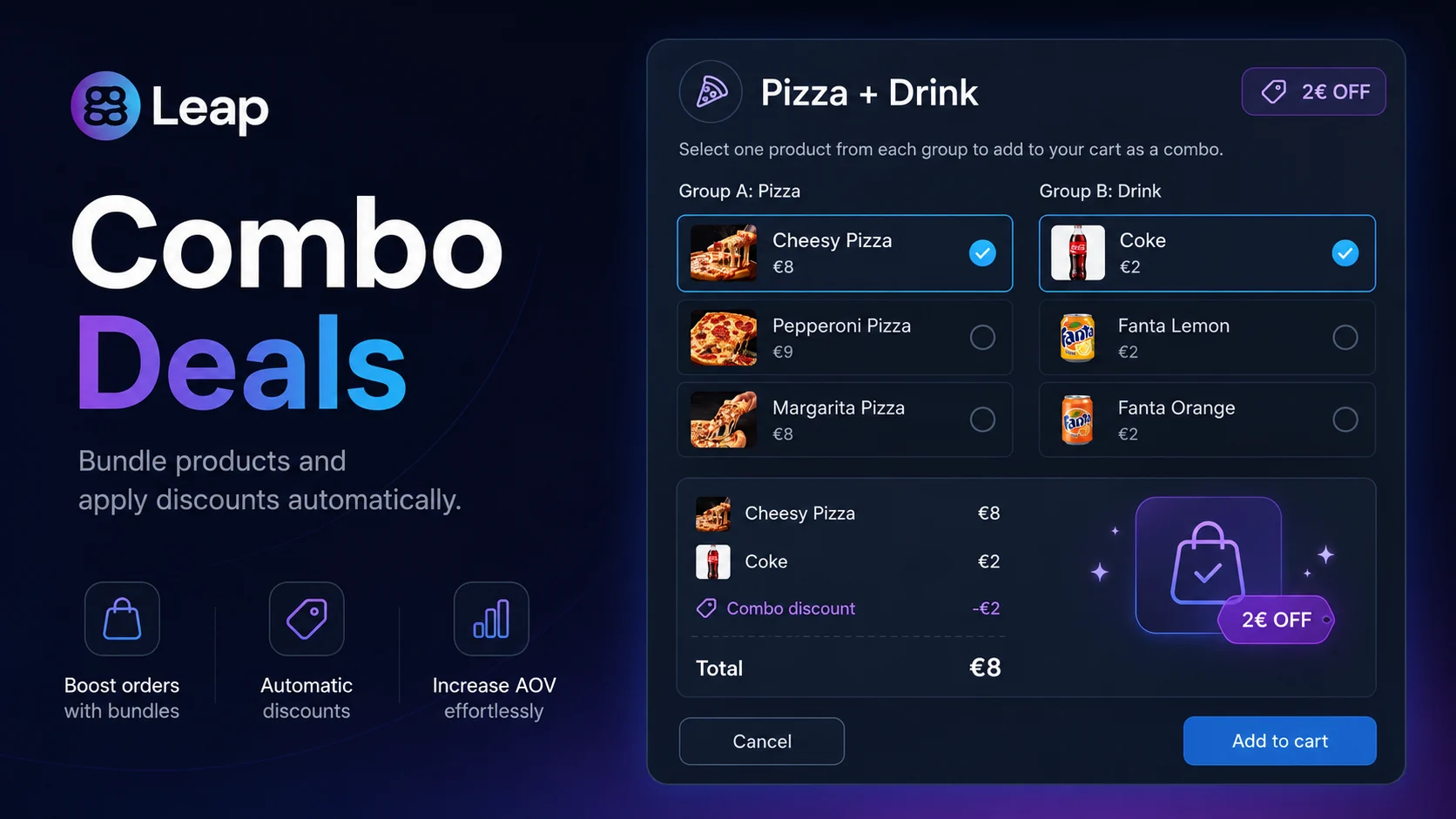
We are introducing Combo Deals, a brand-new way to bundle products in the ggLeap shop. Instead of creating every possible combination of products manually, center admins can now define a single rule with the participating products and a discount — and ggLeap will automatically apply the discount whenever those products end up together in the cart.
How it works
From Web Admin → Shop, admins create a Combo Deal by picking 2 or more products and setting either a fixed price or a percentage discount.
When a customer (or a staff member at the POS) adds those products to the cart, ggLeap automatically detects the combination and applies the discount — no manual lookup, no separate SKU per bundle.
Combos work across regular orders, post-pay, and prize redemptions, and a clear "already in combo" badge appears on items so it's always obvious where the discount comes from.
Benefits
Massive setup simplification: one Combo Deal replaces dozens of individually-priced package combinations.
Higher average ticket: customers see the discount appear in real time, encouraging them to add the matching product.
Cleaner catalog: no need to clutter your shop with duplicated bundle products just to support a discount.
Stock-aware: combos respect stock, post-pay rules, and guest-vs-member pricing the same way single products do.
Counter-Strike 2 in the Arcade
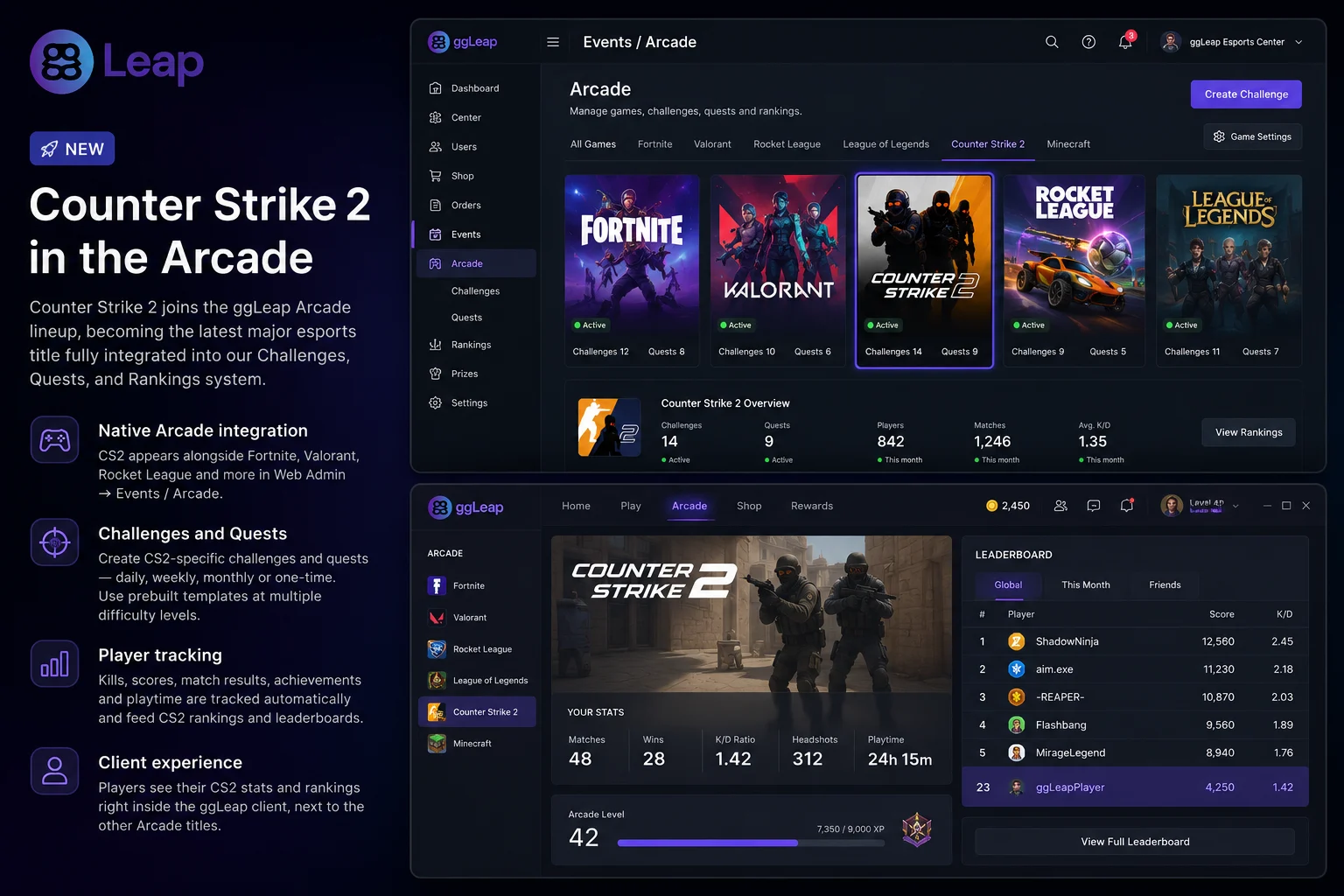
Counter-Strike 2 joins the ggLeap Arcade lineup, becoming the latest major esports title fully integrated into our Challenges, Quests, and Rankings system.
What you get
Native Arcade integration: CS2 appears alongside Fortnite, Valorant, Rocket League and the rest of the supported titles, with its own tab in Web Admin → Events.
Challenges and Quests: center staff can build CS2-specific challenges and quests — daily, weekly, monthly or one-time — and repeat them as often as needed. Prebuilt templates are available at multiple difficulty levels to get started in seconds.
Player tracking: kills, scores, match results, achievements and playtime are tracked automatically and feed CS2 rankings and leaderboards.
Client experience: players see their CS2 stats and rankings right inside the ggLeap client, next to the other Arcade titles.
This expands the competitive offering of every center using ggLeap Arcade and gives CS2 communities a first-class home alongside the rest of the ecosystem.
Auto-lock / Auto-delete Inactive User Accounts
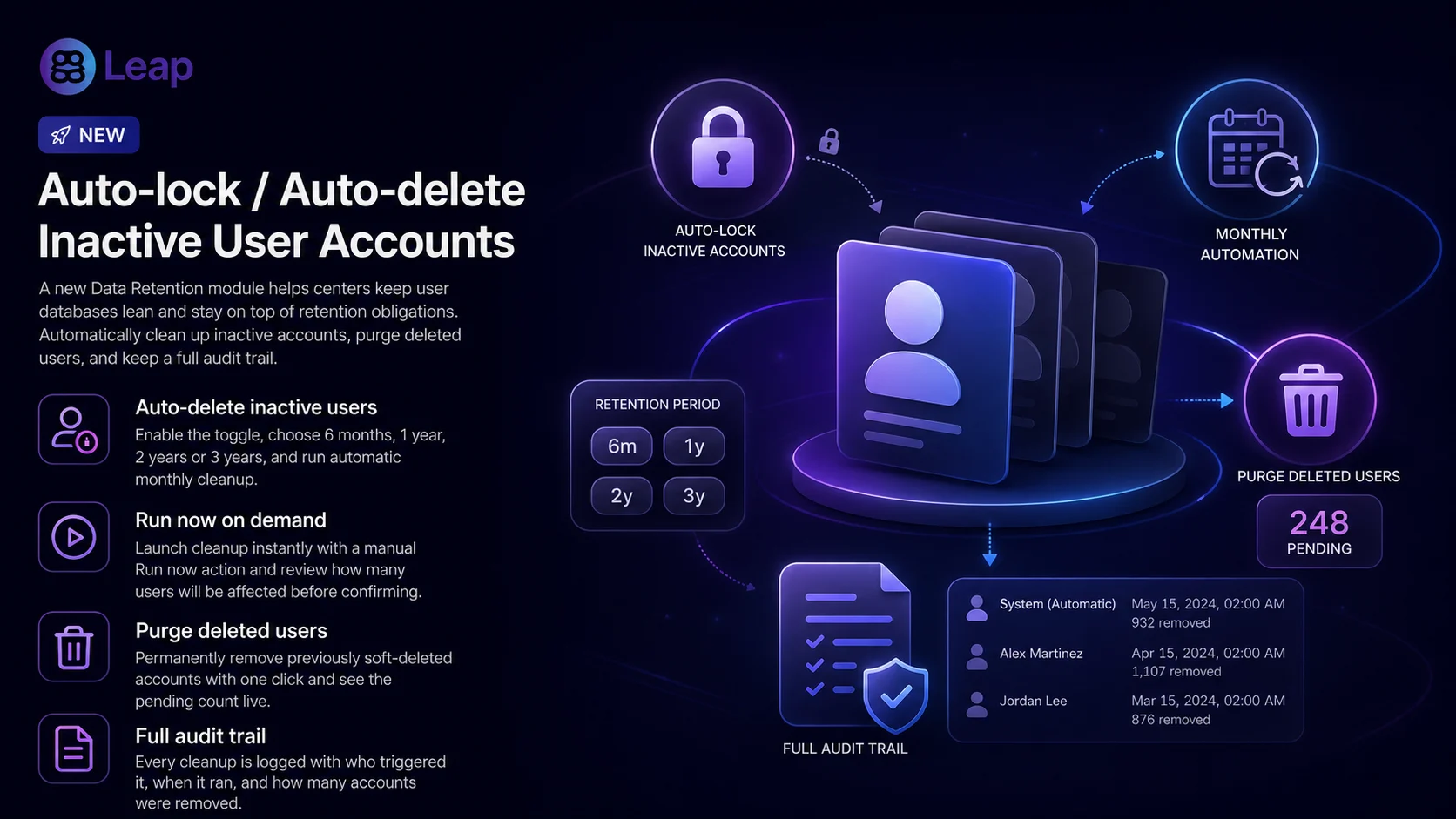
Centers that handle large rotating user bases — universities, schools, esports academies — have been asking for a clean way to keep their database lean and stay on top of data-retention requirements. With this release we are introducing a full Data Retention module in Web Admin.
How it works
A new Settings → Users → Data retention page centralizes everything related to permanently removing user accounts.
Auto-delete inactive users: enable the toggle, pick a retention window (6 months / 1 year / 2 years / 3 years) based on the user's last sign-in, and ggLeap runs the cleanup automatically once a month. A "Run now" button is available for on-demand cleanup.
Purge deleted users: a one-click action to permanently remove accounts that were previously marked as deleted, with a live count of how many are pending.
Both actions show the number of users that will be affected before you confirm, and every run is recorded in the activity log (who triggered it, when, and how many accounts were removed).
Benefits
Faster user search and listings for centers with thousands of historical accounts.
Smaller database footprint and less data-retention exposure.
Safer by default: off until a center explicitly enables it, with clear confirmation steps and full audit trail.
We also reorganized the Settings > Users area: User details configuration and Player notifications now live under a single, dedicated Users section, accessible from a new gear icon on the Users page.
Other updates
Web Admin
Launcher chaining: new Web Admin setting to automatically launch an extra program right after a game launcher opens, plus a new option to start a specific app after a launcher — useful for centers that run tracking tools, anti-cheat software, or other utilities alongside their game launchers, anti-cheat or custom helpers.
Stripe Checkout improvements: optional collection of Full Name and Billing Address in Stripe Checkout for centers that require complete invoice data.
Guest controls: added Force guest logout action, and the "Login guest" menu item is now correctly hidden when guest access is disabled in settings.
Activity tracking: activity log now records when an event is enabled or disabled.
Receipt page: the Deliver button is back on the receipt page for faster post-pay fulfillment.
X.com domain: the social link validator now accepts x.com URLs in addition to twitter.com.
Cash balance polish: minor adjustments and consistency fixes on top of the cash balance feature shipped previously (post-pay handling, "add money to balance" visibility, duplicated balance amount via Stripe Checkout).
Reworked Orders Page polish: small refinements following the orders rework released earlier — including coin amounts now displaying with your region's number formatting, prevented negative numbers from being entered in filter fields, and clearer cursor and expand/collapse behavior on column headers.
Bug fixes
Shop & Commerce
Coupon code discounts now apply correctly at checkout.
Fixed an issue loading product categories in some shop setups.
Resolved an issue where orders for prizes were being created as post-pay even when the user's balance was below the required amount.
Post-pay orders are now correctly delivered first before they can be paid.
Fixed an issue where an order could disappear from the "Action required" list before being completed.
Refund window now shows a scrollbar when there are many items.
Fixed an issue where deleting a Product or Offer could sometimes fail.
Fixed a case where a payment or offer record could go missing during checkout.
Payments & Subscriptions
Gamepasses now reliably award after a successful Stripe payment.
Subscription change emails are now sent to the center owner and every user with permission to manage subscriptions.
Bookings
The 'Currently active' notification no longer appears in the new booking window before the booking is actually created.
Booking time panel now matches the value shown on the page.
Sessions, Login & Auth
Tightened sign-in rules so the same account can't be signed in on multiple devices at once.
Fixed a crash that could occur when creating employee accounts.
Your session now renews automatically in the background, so you won't be unexpectedly signed out.
Statistics & Reporting
Fixed games showing up without a name in the per-player stats table.
Fixed an issue that was preventing some daily report emails from being sent.
Corrected broken images in Daily Report emails.
Activity Logs
Fixed bug where the logout duration is reported as 0.
Client & Marketplace
Remote desktop requests are no longer made when the remote desktop add-on is not active
Users no longer get logged out when purchasing certain offers.
Fixed an issue that causes the launcher to be terminated instantly when the process closes, even if the game is about to restart.
Need help? If you have any issues with any feature in this release, please come to Discord or use webchat support so we can investigate.
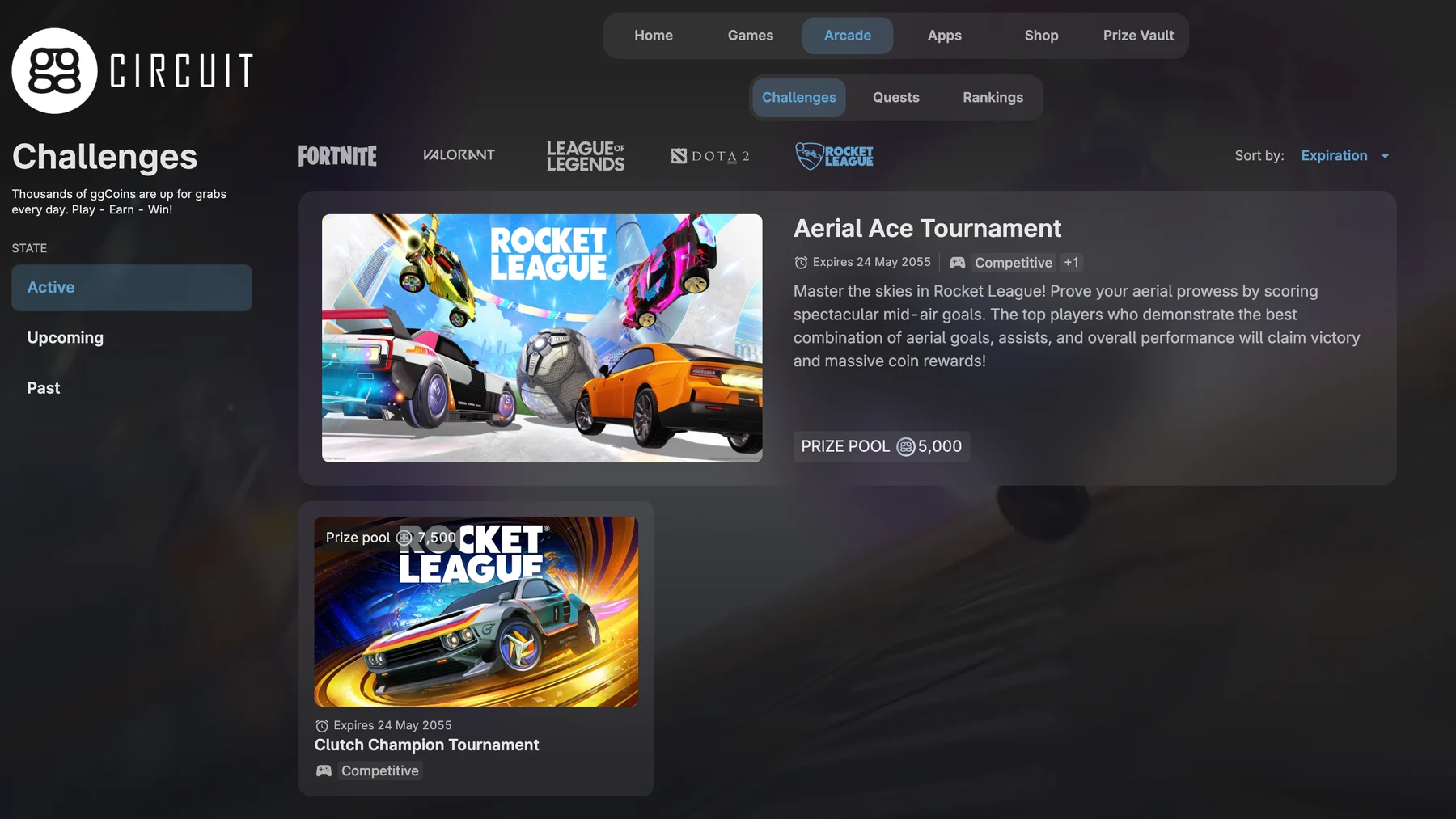
Rocket League is one of the most requested titles by gaming center players worldwide — and it’s finally here as a fully supported Arcade game.
Just like with other Arcade titles, center staff can create Challenges and Quests with full flexibility: daily, weekly, monthly, or one-time. These can be repeated as many times as needed, making it easy to keep engagement fresh for regulars.
All Rocket League game modes are supported: Basketball, Breakout, Hockey, Items, Play Test, Ranked, Soccar, Unknown, and Volleyball.
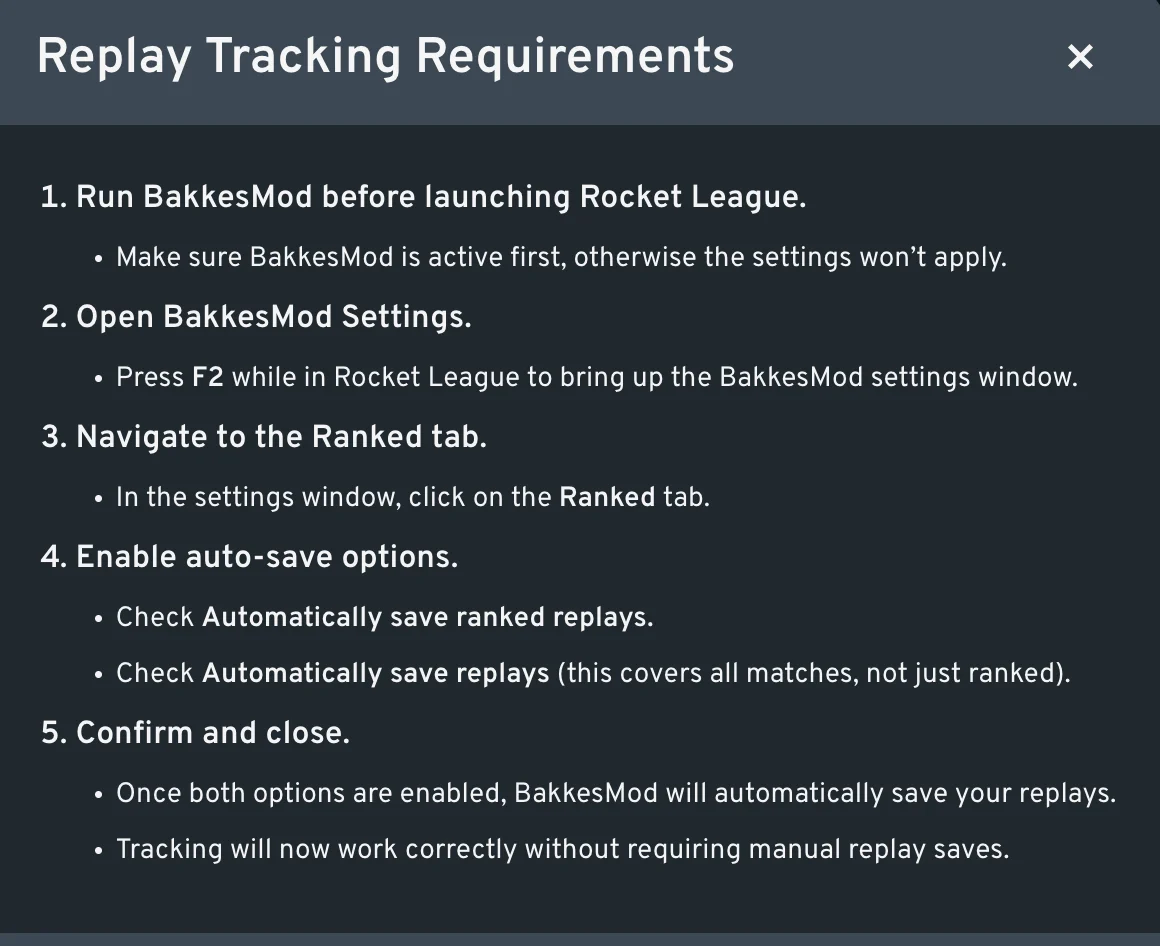
Tracking requirements:
Rocket League tracking works similarly to Fortnite. For everything to be 100% automated, players need either option: save replays manually after each match, or — the recommended approach — install BakkesMod on each PC. Once BakkesMod is running, open its settings with F2 inside Rocket League, go to the Ranked tab, and enable both “Automatically save ranked replays” and “Automatically save replays”. From that point on, tracking is fully automatic with no extra steps for players.
Massive Localization Rework
We have rolled out a massive localization rework to make translations much more reliable across all the languages we currently support!
Other updates
Improvements
Bookings, orders, and statistics gained stronger reliability around filters, saved reports, transaction ordering, and timezone-sensitive behavior.
Platform quality advanced through launcher/login hardening, currency/localization polish, web/mobile UX fixes, API improvements, and infrastructure optimization.
Updated Polish translations for ggLeap client.
Console logins now award gamepasses when logging into consoles.
Smart Card Login can now be enabled/disabled from Login methods
Bug fixes
Assistance request management now supports faster lookup and cleanup from Web Admin.
Help chat usability improved with better contrast, draggable behavior, and corrected floating positions.
Audit visibility improved when impersonating employees, including clearer activity-log context.
Order and checkout edge cases were fixed to reduce payment friction.
Balance and transaction consistency was tightened across add-money and account-credit scenarios.
Statistics improvements now keep reports more usable and chronologically reliable.
Saved filters and long-label usability were refined in activity logs and dashboards.
Client login flows now better handle alternative credentials and launcher prompts.
Currency and localization polish shipped for AED/SAR symbols plus translation quality updates.
Dynamic Center Pages and mobile web behavior were corrected for stronger multilingual consistency.
News and website content widgets received usability and embedding improvements.
iGames lifecycle handling improved with cancellation correlation, warnings, and dashboard state fixes.
Security and partner integration capabilities expanded for OIDC vendor clients and API scopes.
Platform infrastructure was hardened with runtime updates, RabbitMQ optimization, and storage housekeeping TTLs.
Booking APIs and availability endpoints were stabilized to prevent zero/500 edge cases.
Client and admin UX polish included settings-page controls, dark-mode fixes, and cleaner admin affordances.
Reliability fixes also covered imports, search precision, and profile/account handling edge cases.
Marketplace and payout workflows were aligned to reduce reconciliation issues.
Financial report jobs now report their progress percentage, making long-running report generation more transparent.
Booking API was updated to support center-local times, improving accuracy for centers in non-UTC time zones.
Remote app launches are now correctly excluded from the Top Games report, preventing them from inflating usage statistics.
Fixed an issue where users were unexpectedly logged out after purchasing offers restricted to their PC group.
Fixed a premature logout triggered at the time-over shop.
Fixed a bug where manually added time amounts weren't appearing in the transaction history.
Fixed an issue where auto-logout didn't trigger the screen lock as expected.
Fixed a phantom transaction being created on Stripe renewal payment failures — preventing false charges from showing in records.
Resolved a data integrity issue where Stripe user IDs were being incorrectly reused across center-level accounts.
Added detailed context to add/remove-money entries in the activity log so staff can better trace balance changes.
Updated the color in the statistics graph to make the text more visible
Need help? If you have any issues with any feature in this release, please come to Discord or use webchat support so we can investigate.
Fixed: Resolved an issue where stalled sessions prevented ggLeap client from receiving the logout action message, resulting in the machine not locking as expected.
Improved autologin issue diagnostics
Version changes
3.0.1652.1671
Fixed: Resolved an issue where stalled sessions prevented ggLeap client from receiving the logout action message, resulting in the machine not locking as expected.
Fixed: Account balance display issue where extremely small values (e.g., 0.000000000000001776) were incorrectly rounded and shown as 1.7 instead of 0.
Updated: Polish translations
Updated: Updated launcher autologin module/configuration to be dynamically loaded. This allows quick functional updates without updating the whole ggLeap client.