
📅 Release date:
Overview
Share feedback
Help shape the future of ggLeap by contributing to our roadmap. Share your ideas and vote on features here: https://pipeline.ggleap.com/
How to update
If you are a managed ggCircuit customer and we update your ggRock image, then you should request an update in your dedicated support channel.
Otherwise you can update any client pc(s) here https://admin.ggleap.com/settings/client/version
New features
Deals — exclusive partner offers in Web Admin
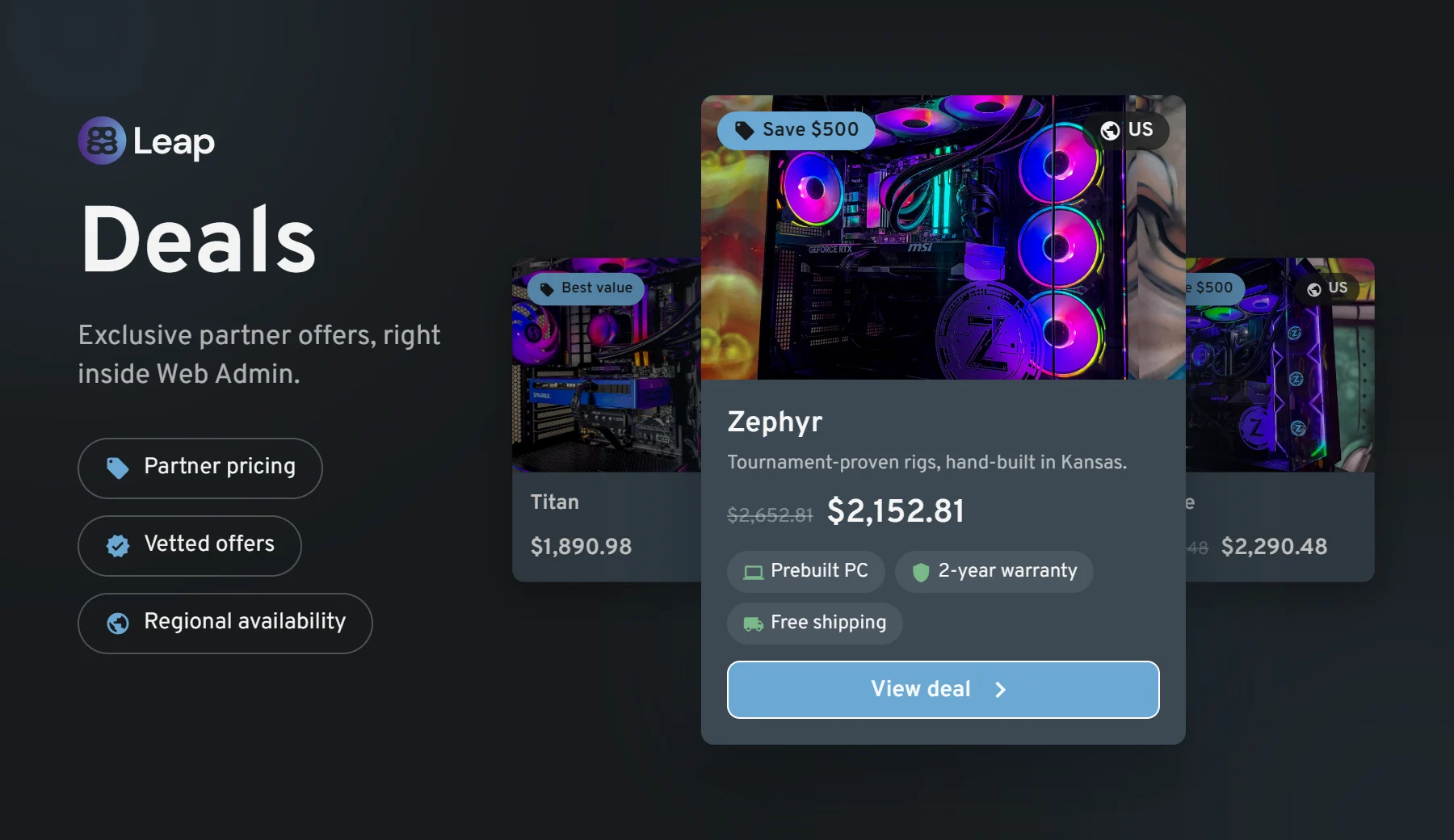
We are introducing Deals, a brand-new section of Web Admin where ggCircuit brings you exclusive, negotiated offers on the hardware and services your center actually buys. No more hunting for vendors or chasing quotes — the offers live right where you already work every day.
How it works
A new Deals button appears in the Web Admin header, marked with a NEW badge until you open it for the first time.
Clicking it opens the Deals panel, where each offer is presented as a product card with photo gallery, brand, category, the discounted price next to the original list price, a full description and a collapsible What's Included breakdown (warranty, shipping, financing, support and more).
The BUY button takes you straight to the partner's own store in a new tab to complete the purchase. Nothing is charged inside ggLeap — Deals is a referral space, not a checkout.
Our launch partner is Zodiac Labs, offering hand-built AMD Ryzen custom gaming PCs at a discount reserved for ggLeap centers. More partners are on the way.
Benefits
Pre-negotiated pricing: discounts we have already secured on your behalf, with no volume commitment on your side.
Vetted partners only: every brand in Deals is one we have evaluated and are willing to put our name next to.
Zero setup: nothing to install or configure — the panel is simply there the next time you sign in to Web Admin.
Relevant to your region: offers are scoped geographically, so you only ever see deals that can actually be fulfilled where your center is.
Console Bookings
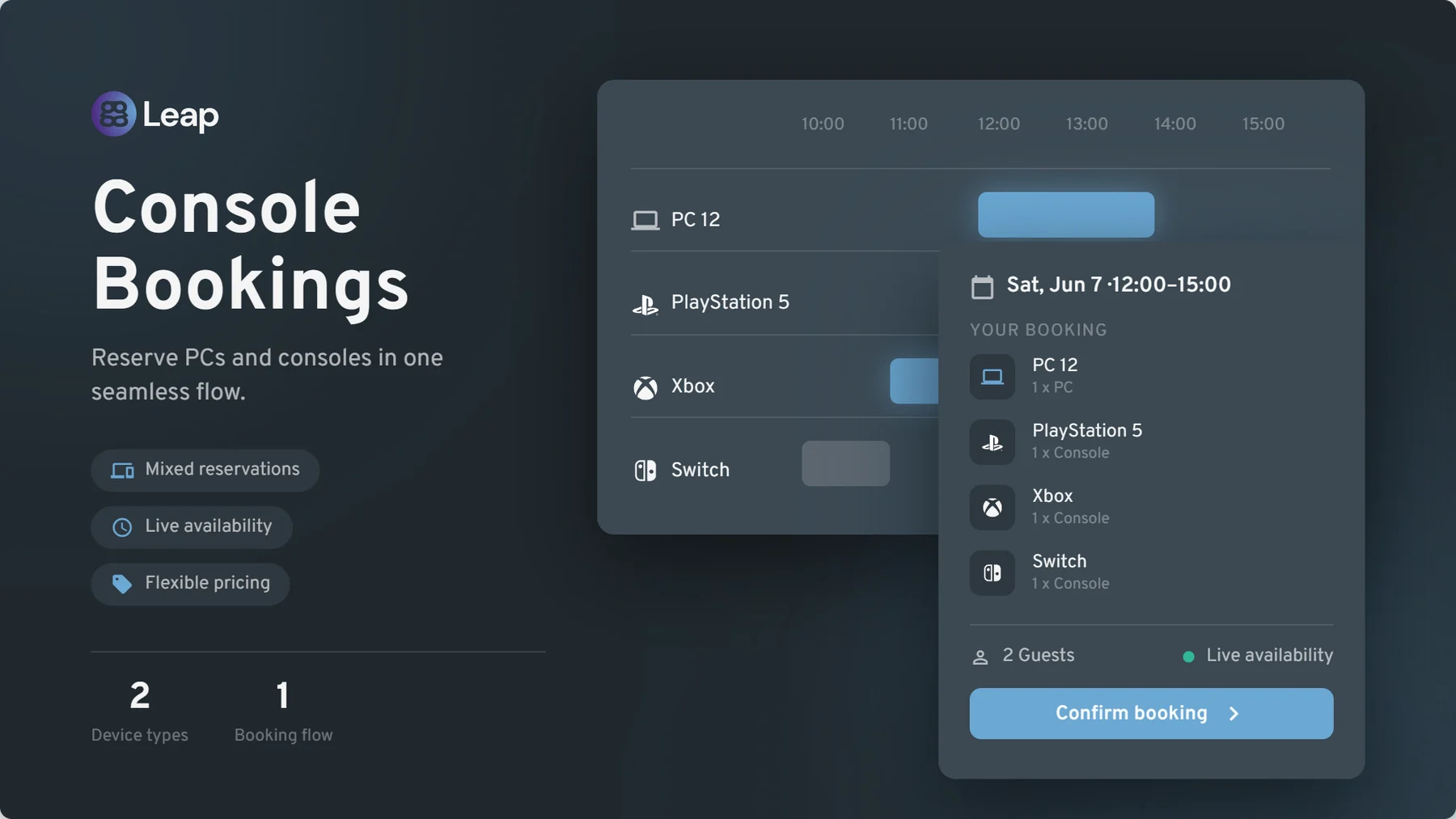
Until now, ggLeap bookings covered PCs only. With this release, consoles become fully bookable resources — PlayStation, Xbox, Nintendo Switch and any other console you have registered in your center. This has been one of the most requested features from console lounges, party-room operators and mixed PC/console venues, and it is finally here.
How it works
Consoles in the bookings grid: the Bookings page in Web Admin now shows your consoles alongside your PCs, with clear PC and console icons so staff can tell resource types apart at a glance. Clicking a console opens the same booking side panel you already know.
Mixed reservations: a single booking can contain PCs, consoles, or both — perfect for birthday parties and team events that need a bit of everything.
Self-service booking from your center webpage: your customers can reserve consoles directly from your public center page, as members or as guests, with live availability shown per console type and group.
Excluded consoles: a new Settings → Bookings → Excluded consoles list lets you keep specific units out of the booking pool — tournament stations, demo units or anything you want to keep free for walk-ins.
Console-aware statuses and notifications: a booking flips to occupied when any of its consoles is in use, upcoming-booking badges appear on console tiles in the dashboard widget, and confirmation emails list every PC and console on the reservation.
Benefits
New revenue stream: take advance reservations and prepayment for console stations that previously could only be booked over the phone or on paper.
One funnel for everything: the same booking flow, the same pricing model, the same reporting — consoles simply join the system you already use.
Nothing changes if you don't have consoles: the feature is purely additive. Existing PC booking flows are untouched.
All ggLeap emails redesigned
Every email ggLeap sends — around 30 of them, including receipts, verification codes, password resets, staff invitations and the daily financial report — has been rebuilt on a new templating engine and redesigned onto a single, clean, consistent look. Expect better readability across mail clients and a more professional impression for the emails your customers receive.
Chinese & Ukrainian language support
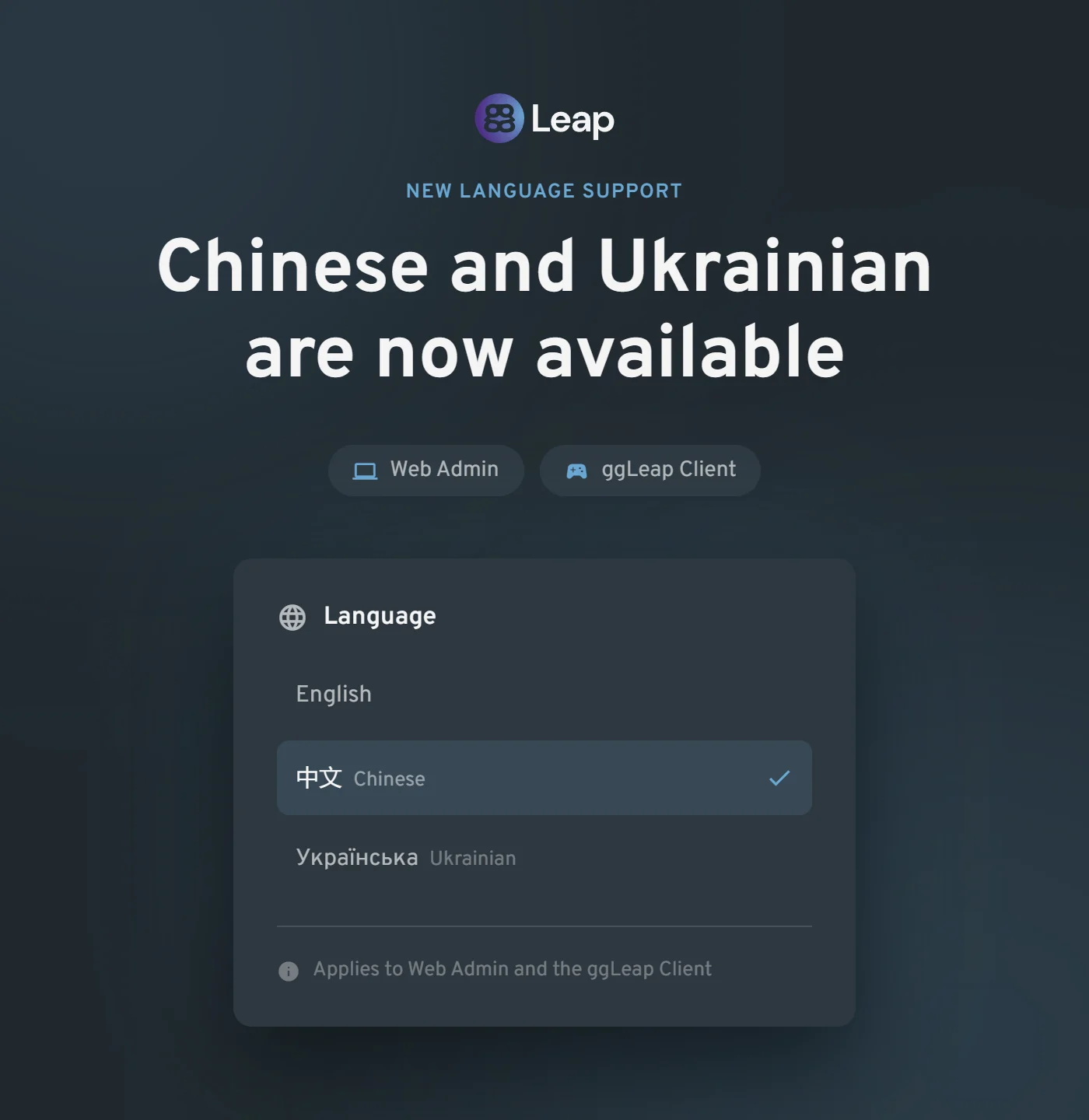
Chinese and Ukrainian are now selectable in Web Admin and the ggLeap Client, and your choice is remembered between sessions.
With both languages available across the administrative and player-facing experiences, centers can onboard local staff and communities more comfortably.
The result is a more accessible, consistent experience from the first sign-in onward — with no repeated language setup when users return.
Other updates
Web Admin
Self-service password reset for staff: a Forgot password? link on the Web Admin login screen now sends a secure reset email, so your team no longer has to wait for an administrator to unblock them.
Much faster customer list: the users list now loads from a local cache, making search and paging noticeably quicker at centers with large databases.
Granular remote-screen permissions: connecting to a PC, viewing active and past remote sessions, and ending a session are now three separate staff permissions, and every remote-screen action (start, extend, end, cache clear) is recorded in the activity log for full auditability.
New API access permission: a dedicated permission now covers managing third-party API access, so staff no longer need full administrator rights just to configure an add-on.
Add-on data access control: a new screen lets you review and revoke which connected third-party vendors are allowed to access your center's data.
Stock management overhaul: the Stock Control table is now sortable on every column and opens sorted by lowest stock first, and stock count plus low-stock warning limit can be set directly on the product create/edit form — no more trip to a separate page.
Bulk security policy assignment: select multiple PCs at once to add them to, or remove them from, a security policy group in a single action.
Multi-center navigation: the center switcher now stays visible without scrolling no matter how many centers you manage, and a dedicated Open center button means selecting a center in the list only previews its information instead of switching you unintentionally.
Cash balance between centers: cash balance can now be transferred between centers in the same network. (This is an opt-in feature. Please reach out to Support to get this enabled and set up.)
Subscription email recipients: you can now choose exactly which staff members receive subscription notification emails.
Accessibility (WCAG 2.1 A/AA): a broad accessibility pass across Web Admin and the ggLeap Client covering keyboard navigation, visible focus indicators, skip-navigation, colour contrast, alternative text and screen-reader labelling.
Group-restricted shop items: a new shop setting lets you decide whether items a customer cannot use on their current PC group are hidden entirely or shown but not purchasable.
Smoother report generation: clearer progress feedback while a report is being generated, instead of an apparently frozen screen.
Sticky shopping cart: the cart now stays in view as you scroll through the shop.
Activity log: failed automatic membership renewals are now recorded in the activity log, and log entries that had been removed too early by data retention have been restored.
Nicer PC update reminder: the out-of-date PC notice has been reworded as a friendly notice telling you how many PCs have a newer build available.
Public API — agreements: a new public API endpoint lets integrators read a center's required agreements and record a customer's acceptance, so self-service kiosks and unattended arcade cabinets can pre-register players and skip the first-login terms screen.
Client Updates
Pause button behaviour: the video pause button now auto-hides after a period of inactivity, and a new center-level setting lets you hide it altogether.
Reopened help requests: when staff reopen a previously resolved help request, the customer's client now correctly shows it as open again.
Login with email: players can now sign in with their email address, not only their username.
Integrations & Add-ons
Add-on machine lists: at-a-glance green/red status dots with tooltips, and Kidas event rows now show the total price paid.
Bug fixes
Shop & Commerce
Applying a fixed-amount discount at checkout no longer blocks the sale with an incorrect "amount paid" error.
"Charge Later" is no longer offered at checkout for centers that have post-pay switched off.
Editing a prize no longer resets its stock count to zero.
Delivering an already-paid order now completes it correctly instead of treating it as post-pay.
A customer's post-pay spending limit is now applied correctly after the session refreshes.
Adding a product subcategory no longer fails with an error, and the "Add subcategory" option is now hidden where it does not apply.
Payments & Subscriptions
Subscriptions on automatic card payment no longer show a red "payment needed" warning while the renewal charge is simply still pending — the warning now appears only after a payment actually fails.
Renewing a membership now correctly moves the customer back into their user group.
Bookings
The add/edit booking panel no longer opens with a large blank gap when launched from the bottom of a long page.
Statistics & Reporting
Manually added time now shows its real value instead of zero in financial report exports.
Money added by a customer through Stripe in the client is no longer counted twice in statistics.
Corrected the user activity figure on the Statistics page.
Fortnite play is tracked against the correct game mode again, including ranked, no-build and squad playlists.
League of Legends match results are now recorded reliably for every player in a match, even when several players from your center are in the same game.
Web Admin
Newly added dashboard widgets now persist after you navigate away and come back.
Fixed the "Load more" button in long lists, which could stop working or fire duplicate requests.
Resolving a customer note now records the staff member who actually resolved it.
Client & Marketplace
Roblox auto-login no longer drops characters from saved usernames and passwords.
Minecraft auto-login works again.
In the News Feed widget, the next/previous arrows now update the full article body, not just the title and banner.
Fixed a crash in the ggLeap Client.
Fixed a misleading error state shown when the Discord integration could not connect.
Fixed an error loading the list of machines earning through Salad, and removed an irrelevant billing toggle from the Salad payout setup step.
Fixed a registration issue with the iGames integration.
Need help? If you have any issues with any feature in this release, please come to Discord or use webchat support so we can investigate.